#1

Runway is a browser-based AI creative suite for generating and editing video, images and audio in one workspace. It runs on models such as Gen-4.5 and adds music, voice and sound effects, an agentic creative assistant and mobile apps. Developers get an API. It suits filmmakers, marketers, agencies and creators who want fast AI-made visuals, and there's a free tier to try it.
4.6
(0 reviews)
View Tool
#2

Crevid AI turns a topic or a one-line idea into a finished, narrated explainer video. It writes the script, adds voice narration, animates scenes in a Motion Graphics or Whiteboard style, and syncs captions. It's built for YouTube creators, tech educators, teachers, tutors and course creators who need clear visual explanations without editing or animation skills. You pay with credit packs.
0.0
(0 reviews)
View Tool
#3

AI Free Video is a free, browser-based generator that turns a text prompt or a still image into a short 5-second HD clip with no watermark and no subscription. It suits hobbyists, students and digital artists trying out AI video for personal projects. Commercial use is not allowed, and wait times can stretch to an hour when the service is busy.
0.0
(0 reviews)
View Tool
#4
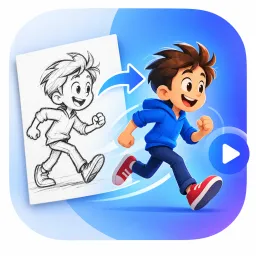
Animated Drawings is a free research demo from Meta FAIR that turns a hand-drawn character into a short animation. Upload a photo of a drawing, check the outline and joints the AI detects, then pick a preset motion and watch your character move. It's a playful tool for kids, parents, teachers and artists who want to see a sketch come to life. It's meant for personal, non-commercial use, and the code is open source on GitHub.
0.0
(0 reviews)
View Tool
#5

HeyGen turns a script, photo, audio file or slide deck into a polished video with a realistic AI avatar and voiceover. It's built for marketers, trainers, course creators and teams who need to publish video regularly without a camera, studio or editing skills, and it can translate finished videos into 175+ languages with matched lip-sync.
0.0
(0 reviews)
View Tool
#6

Riverside is a browser-based studio for recording podcasts, video interviews, webinars and live streams in high quality, then editing and repurposing the results with AI. Guests join from a link with nothing to install, and recordings are captured locally on each device.
0.0
(0 reviews)
View Tool
#7
Free Video AI is a no-signup web toolkit that turns text prompts or a pair of images into short AI video clips, and also includes free local tools to flip, split and upscale video right in your browser.
0.0
(0 reviews)
View Tool
#8
Rap Blaze is a browser-based AI rap video maker. Upload one clear photo, pick a template such as the Bulin 47 trend, a rap duo, a birthday roast or a one-photo effect, and get a vertical MP4 for TikTok, Reels or Shorts. You don't write prompts or edit anything. Trend remakes come out silent so you can add the trend sound when you post. Original raps include new lyrics, a beat and voices. One-time credit packs start at $6.99, with no subscription.
0.0
(0 reviews)
View Tool
#9

Kling AI is an AI video and image studio that turns text prompts, still images and reference material into short, realistic video clips and high-resolution images. Recent models add native audio and multi-shot control. A built-in agent and node-based Canvas help you go from script and storyboard to finished clips. It suits marketers, e-commerce teams, filmmakers and social creators who need cinematic visuals without a film crew.
0.0
(0 reviews)
View Tool
#10
Higgsfield is an AI creative suite for turning prompts, scripts and reference images into video, images and voice content. It bundles dozens of frontier models with cinematic camera controls, character consistency tools, ready-made studios for ads, shorts and lip sync, plus an AI agent and API for teams that produce at scale.
0.0
(0 reviews)
View Tool
#11

Google Flow is Google Labs' AI filmmaking studio. You describe a shot or add reference images, and it generates short cinematic clips with Google's Veo video models, often with sound. A scene builder chains clips into longer sequences, and camera controls plus reference images keep characters and styles consistent. It suits filmmakers, video creators and marketers who want to storyboard, prototype or produce short AI-generated video in the browser.
0.0
(0 reviews)
View Tool
#12

CapCut is a free-to-start video and photo editor from ByteDance for creators, marketers and small teams making social content. It combines a timeline editor and templates with AI tools such as auto captions, text to speech, background removal and AI video and image generation. It runs in the browser, on desktop and on mobile. Pro, Ultra and Teams plans add premium templates and monthly AI credits.
0.0
(0 reviews)
View Tool
#13

Flux3Max.io is a browser-based video generator built on the FLUX 3 Max model. It turns a text prompt, a photo, or up to 10 keyframes into a 5 to 20 second clip with generated sound, in 720p or 1080p and shapes from vertical 9:16 to ultra-wide. It suits creators, marketers and editors who want short clips without a subscription. You buy one-time credit packs and see the price before each video.
0.0
(0 reviews)
View Tool
#14
AI Rap Video turns one clear photo of one person into a short vertical rap video: you pick a stage like Desk concert, Birthday or Viking, and a few minutes later you get a 9:16 MP4 with an original song and lyrics. No subscription, no free trial — credits are bought in one-time packs.
0.0
(0 reviews)
View Tool
#15

Luma AI is a creative studio that turns text prompts and still images into cinematic video clips and on-brand images, using its own Ray video and Uni image models. Creative agents can research, generate and refine video, image, audio and text from a single brief. It suits agencies, brand teams, social marketers and filmmakers who need many visual directions quickly, and developers who want the same models through an API.
0.0
(0 reviews)
View Tool
#16

RecCloud is a browser-based set of AI tools for audio and video. It transcribes speech, creates and translates subtitles, turns text into voiceovers, summarizes long videos and YouTube links, and generates videos from text. Screen recording, trimming, cropping, merging and cloud sharing are also included. It suits students, educators, creators and small teams who want quick transcripts and captions without learning a full editor.
0.0
(0 reviews)
View Tool
