

AI Free Video
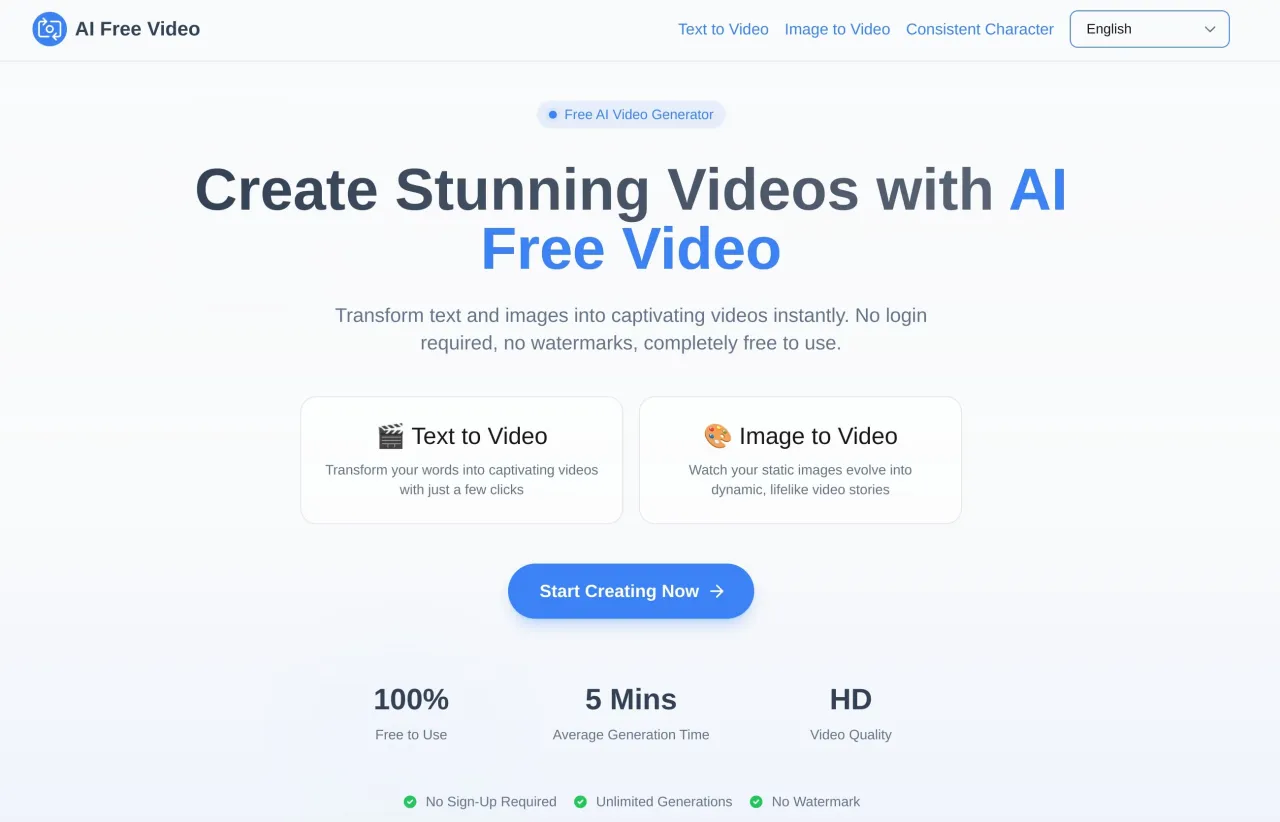
AI Free Video is a free, browser-based generator that turns a text prompt or a still image into a short 5-second HD clip with no watermark and no subscription. It suits hobbyists, students and digital artists trying out AI video for personal projects. Commercial use is not allowed, and wait times can stretch to an hour when the service is busy.
Is AI Free Video right for you?
Best for: Hobbyists, students and digital artists who want to try text-to-video or image-to-video for personal projects without paying, signing up for a subscription or dealing with watermarks. It suits short mood clips, animated illustrations and prompt-writing practice rather than business content.
Pros
- Completely free with no subscription, paid tier or hidden costs
- HD downloads with no watermark on the finished clips
- Handles both text-to-video and image-to-video from a simple interface
- Free Video Frame Extractor helps chain clips into longer sequences
- Responds well to camera-style prompts like tracking shots and pull-backs
Cons
- Personal use only: the site's FAQ forbids commercial use of generated videos
- Each generation is capped at 5 seconds; longer pieces need manual stitching
- Wait times can stretch up to an hour during peak periods
- The site does not name the AI model or the company that operates it
AI Free Video keeps its promise: free, watermark-free 5-second clips from a prompt or a still image, with no account upsell in sight. In our testing, the trade-offs came down to three things: peak-time waits that can reach an hour, a firm ban on commercial use, and no information about which model or company is behind the service. We'd recommend it as a no-risk sandbox for learning how AI video responds to camera-style prompts. For anything tied to a business, use a tool with clear commercial rights.
About AI Free Video
AI Free Video is a free website that turns a short text description or a single photo into a 5-second AI video clip. You don't pay, you don't subscribe, and the downloads have no watermark. That makes it a low-stakes place to find out what AI video can do before you spend money on it.
Here's the kind of person we have in mind. You've seen AI clips all over social media and you want to try making one: a cat on a skateboard, an old portrait that slowly turns its head, a moody shot for a short story you're writing. You don't want another monthly bill or a big logo stamped on the result. You also accept a few trade-offs: short clips, sometimes long waits, and personal use only.
What you can actually make with it
The site does two things, and it keeps them simple. There's no timeline editor, no layers and no long list of settings to learn first.
Text to video
You describe a scene in words and the AI generates a clip. The showcase prompts on the site read like short shot descriptions, with a subject, an action, a camera move and a visual style. For example: an orange tabby cat skateboarding through a colorful skate park, the camera tracking alongside, golden hour light, a 35mm film look. That's a useful hint. The tool responds to camera language like "tracking shot," "pulls back" or "dolly zoom," so it pays to write prompts the way a director would.
Image to video
You upload a still image and the AI animates it. The site's examples include a woman walking toward the camera while holding eye contact, and the camera circling her in a 360-degree move. This mode gives you more control over what the clip looks like, because the first frame comes from you and isn't left to chance.
The output
Every generation produces a 5-second clip that you download in HD without a watermark. You can post your clips on YouTube, TikTok, Instagram and similar platforms, as long as you're using them personally and not for business.
The frame extractor trick for longer videos
Five seconds isn't much, and the site admits it. Its answer is a separate free Video Frame Extractor. You grab the last frame of one clip, feed it back into image-to-video to make the next segment, and then join the pieces in any video editor. It's a manual workaround, but it lets you build a 15- or 20-second sequence that holds together reasonably well.
One thing to know up front: the site doesn't say which AI model generates the videos or which company runs the service. That doesn't make it useless, but it does mean you can't easily compare it on paper with named models, and you know less about who is handling your uploads.
Your first clip in a few minutes
- Go to the official AI Free Video website. The generator is on the homepage.
- Choose your mode: type a prompt for text-to-video, or upload a picture for image-to-video.
- Write a prompt that covers the subject, the action, the camera movement and the look. In image-to-video, describe the motion you want rather than what's already in the picture.
- Start the generation. Most clips are ready in about 5 minutes, but at peak times the wait can run up to an hour, so don't sit and refresh.
- Download the HD clip. If you want a longer piece, open the Video Frame Extractor from the site's links and save the last frame for the next segment.
A real example: a 15-second rooftop scene
Say Maya is a hobbyist writer who wants a short, atmospheric teaser for a story she's sharing with friends. She has no footage and no budget. She starts with a text prompt:
Close-up of a woman's eye on a rainy city rooftop at night, camera slowly pulls back to reveal her face and then her full figure in a long coat, neon reflections on wet concrete, cinematic, 35mm film
She starts the job and goes back to writing. Because it's evening and the service is busy, the clip takes a while. When it arrives, she has five seconds of a slow pull-back that ends on the full figure. The lighting isn't quite what she pictured, so she runs a second version with "teal and magenta neon" added. This time the colors match the mood.
Next, she opens the Video Frame Extractor and saves the final frame of that clip. She uploads the frame to image-to-video with a new instruction: "The woman turns and walks toward the edge of the rooftop, camera follows from behind." She repeats the process once more for a closing shot, then lines up the three clips in a free video editor and adds a quiet music track. The result is a 15-second teaser built entirely from free tools. That's exactly the kind of personal, non-commercial project this site is made for.
More ways to use it
- Digital artists: Animate a finished illustration with a subtle camera push or drifting particles, and share it as a moving version of the piece.
- Students learning about AI: Run the same prompt with different camera terms to see how the model interprets direction, which is a cheap way to learn prompt writing for video.
- Family and friends: Bring a favorite photo to life for a birthday message or a group chat, keeping in mind that results with real faces can look uncanny.
- Writers and game masters: Make short mood clips for a story, a tabletop campaign or a reading playlist.
- Personal social accounts: Post experimental clips on your own TikTok or Instagram, as long as the account isn't promoting a business.
- Testing ideas before paying: Sketch a concept here first, then decide whether it's worth recreating in a paid tool with a commercial license.
Tips for better results
- Write like a camera operator. Name the shot (close-up, wide), the move (tracking, pull back, orbit) and the look (golden hour, 35mm film). The site's own examples follow this pattern for a reason.
- Plan for five seconds. One clear action per clip works far better than a mini-plot. If your prompt describes three events, split it into three clips.
- Use image-to-video when consistency matters. Starting from your own image fixes the character, the setting and the colors, so you only have to describe the motion.
- Chain clips with the last frame. When you extend a scene, keep the camera direction and lighting words consistent between prompts so the cuts don't jump.
- Generate off-peak. If you're making several clips, start them earlier in the day and do something else while they process.
- Keep your prompts. Save the ones that worked in a note. With waits this long, reusing a proven prompt saves a lot of time.
Limits and things to watch out for
The biggest one is the license. The FAQ says plainly that videos are for personal use only and can't be used for commercial purposes. If you're making an ad, a client deliverable, a product video or content for a monetized brand account, this isn't the right tool, however good the clip looks.
Speed is the second trade-off. Five minutes is typical, but waits of up to an hour at busy times are part of the deal for a free service. That's fine for weekend tinkering and frustrating if you need to iterate quickly. The 5-second clip length also means anything longer takes manual work with the frame extractor and an outside editor.
Finally, transparency. The site doesn't say which model it runs on or who operates it. Before uploading personal photos, especially of other people, read the Terms and Privacy pages linked at the bottom of the site. If that information matters to you, a tool with a known company behind it may be the better choice.
What it costs
Nothing. The site describes itself as completely free with no subscriptions and no hidden costs, and all features stay available without paying. The price you pay instead is time during busy periods, plus the personal-use-only restriction. There's no paid tier to upgrade to, so if you need faster generation, longer clips or commercial rights, you'll have to look at a different service.
Alternatives worth a look
If you like the free, no-strings approach but want a few extra utilities, Free Video AI is a no-signup toolkit that also makes short clips from text or a pair of images and adds some browser-based video tools. It's worth comparing side by side for casual use.
When quality, control or clearer terms matter more than cost, look at Kling AI or Luma AI. Both are established studios for turning text and images into realistic video clips, run by companies you can identify. They're the better fit for creators who want to move from experiments to more polished, regular production. Check each one's plans and license terms if you plan to use the videos commercially.
Our take
AI Free Video does what its name promises: free, watermark-free, 5-second clips from text or an image, with no account upsell. It's a good sandbox for learning how AI video responds to camera-style prompts and for small personal projects. Just go in knowing about the long peak-time waits, the ban on commercial use and the lack of information about who runs it. For anything you plan to sell or publish for a business, use a tool with clear commercial rights.
Features
Available On
AI Free Video FAQ
Is AI Free Video really free?
Yes. The site says all features are free with no subscription and no hidden costs. The trade-off is longer wait times when the service is busy.
Can I use AI Free Video for commercial projects?
No. The site's FAQ states that generated videos are for personal use only and cannot be used for commercial purposes. You can share clips on social platforms like YouTube, TikTok and Instagram for non-commercial use.
How long are the videos and how long do they take?
Each generation produces a 5-second HD clip. Most clips are ready in about 5 minutes, but at peak times the wait can stretch to around an hour.
How can I make longer videos with AI Free Video?
Use the site's free Video Frame Extractor to grab the last frame of a clip, then feed that frame into image-to-video to generate the next segment. You then join the segments in any video editor.