

Zapier
Zapier is a no-code automation platform that connects 9,000+ apps so routine work runs on its own. You build workflows (Zaps) from a trigger and actions, add AI steps that write or summarize, create workflows from a plain-language prompt with Copilot, or use AI agents for multi-step work. It suits small businesses, ops and marketing teams, and IT departments that need governance. A free plan includes 100 tasks per month.
Is Zapier right for you?
Best for: Small businesses, ops and marketing teams, and IT departments that want to connect their web apps and add AI steps or agents to routine workflows without writing code. It fits best when your stack spans many SaaS tools and you need automations that keep running reliably in the background.
Pros
- Integrates with more than 9,000 apps, a wider catalog than most rivals
- Copilot drafts a working Zap from a plain-language description
- AI steps and agents can be mixed with fixed, predictable steps
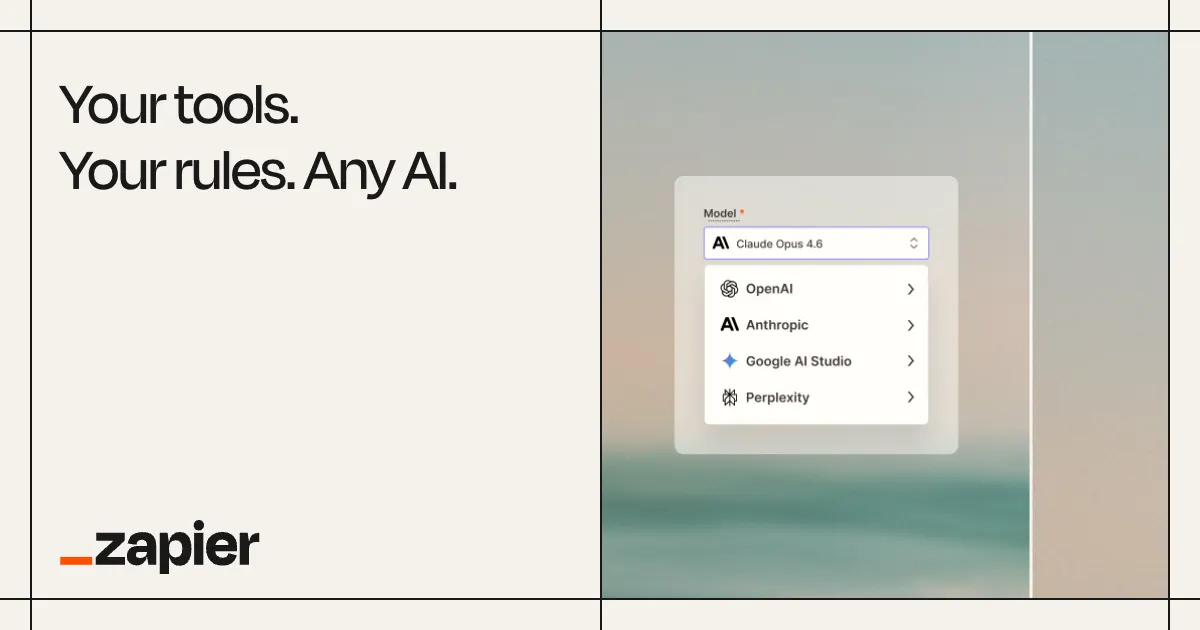
- MCP server lets Claude, ChatGPT or Cursor act across your apps
- Enterprise controls include SAML SSO, SCIM, logs and AI model opt-out
Cons
- Task-based pricing grows quickly with volume, and AI steps can use extra tasks
- Free plan is limited to 100 tasks per month and two-step Zaps
- Premium apps, webhooks and multi-step Zaps require a paid plan
- Users report that branching logic and the sheer number of options take time to learn
Zapier is still the safest bet when you need to connect a long tail of apps, and its AI layer is more useful than a bolt-on. Copilot gets you a draft Zap fast, and the option to mix AI steps or agents with fixed steps keeps automations predictable and cheaper to run. The trade-off is cost, because heavy workflows burn through tasks quickly. Try it if breadth and reliability matter more to you than the lowest price per run.
About Zapier
Zapier is a tool that connects the apps you already use and moves data between them automatically, so you stop copying and pasting between tabs. Picture a new lead filling out a form at 11 p.m. By morning, they're in your CRM, they've received a welcome email, and your sales channel has a short summary of who they are. Nobody touched a keyboard.
That's been Zapier's job since 2011. Today the pitch has grown to include AI: workflows that write and summarize, agents that plan multi-step work, and automations you can build by describing them in plain English. It's aimed at almost anyone who runs a business on a stack of web apps, from solo founders to large IT teams.
How Zapier works, from classic Zaps to AI agents
Zaps are still the foundation
Everything starts with a Zap. A Zap is a workflow made of one trigger (something happens in an app) and one or more actions (Zapier does something in another app). For example, "new row in Google Sheets" can trigger "create a contact in HubSpot" and then "send a message in Slack." Zapier connects more than 9,000 apps, so the odds are good that your tools are on the list.
On top of the basic trigger-action pattern, you get building blocks for real-world mess. Filters stop a Zap unless a condition is met, like a deal worth more than $5,000. Paths route data down different branches with if/then logic. Formatter cleans up dates, currency and text. Delay and Scheduling control timing, Looping handles line items, and Webhooks let you talk to services that don't have a ready-made integration.
AI steps inside a workflow
The simplest way to add AI is a single AI step. One part of the Zap writes, summarizes or classifies something, and the regular steps handle the rest. A support ticket comes in, an AI step summarizes it and tags its urgency, and a normal action posts it to the right team. Zapier calls this mix of fixed steps and AI "Fluid Determinism." The idea is to use AI only where judgment is needed and keep predictable steps cheap and reliable.
Agents for multi-step work
Further along that scale, an embedded agent can use approved tools and instructions to finish a chunk of multi-step work, then hand off to regular steps. In fully agentic mode, the agent plans and adapts across tools and pulls you in for review when needed. Zapier Agents and Chatbots have their own plans on the pricing page, separate from the core Zaps plans.
Building from a prompt, or from your AI tool
Zapier Copilot lets you describe an automation in words and get a draft Zap back. Zapier also supports building workflows from outside its own editor. Its MCP server lets AI assistants such as Claude, ChatGPT or Cursor take actions across your apps or create Zaps, and developers can work through the Zapier SDK. Tables (simple data storage) and Forms (custom forms and intake tools) round out the platform. Your workflows can store data and collect it without needing another app.
Your first Zap in about fifteen minutes
- Create a free account at the official Zapier website and connect one or two apps you use every day, such as Gmail and Google Sheets.
- Try Copilot first. Describe the workflow in a sentence and let it propose the trigger and actions.
- Open the visual editor and check each step. Look at which account each step uses and which fields are mapped where.
- Use the test button on each step with real sample data. This is where most mistakes show up.
- Turn the Zap on, then watch the run history for the first few runs to confirm it behaves as expected.
- Once it works, explore Filters, Paths and AI steps to make it smarter. Keep in mind that the free plan only allows two-step Zaps.
A real example: routing new leads with a summary
Say you run a small marketing agency. Leads come in through Facebook Lead Ads, and your team keeps missing the good ones in a cluttered inbox. You open Copilot and type something like this:
When a new lead comes in from Facebook Lead Ads, add them to HubSpot, use AI to write a two-sentence summary of what they asked for and rate it as hot, warm or cold, then post the summary in our #sales Slack channel. Only post hot leads.
Copilot drafts a Zap with a trigger, a HubSpot action, an AI step and a Slack action. You add a Filter so only hot leads reach Slack. Then you test each step with a real lead and adjust the AI instructions until the summary sounds right. Maybe you tell it to always mention budget if the lead gave one.
When you turn it on, every lead lands in the CRM, and only the promising ones interrupt the team. The next step might be a Path that sends cold leads to a nurture email sequence instead of discarding them. Because this uses several steps, it needs a paid plan.
More ways teams put Zapier to work
- Support teams: Auto-reply to new tickets in Zendesk or Freshdesk, summarize them with AI and route them by topic, so human agents spend time on the complex cases.
- Online stores: Push new Shopify or WooCommerce orders into a spreadsheet or accounting tool like Xero or QuickBooks Online, and alert the team when stock-related keywords appear.
- Freelancers and consultants: Turn a Calendly booking into a client folder in Google Drive, a task in Todoist and a prep email, all at once.
- IT and operations: Handle repetitive internal requests such as access or account escalations with forms, approvals and logs, using SSO and admin controls on higher plans.
- Content teams: Have an AI step draft social copy from each new WordPress post and drop it into a review table before anything is published.
- Developers working in AI assistants: Connect Zapier MCP so your assistant can send messages, update records or create workflows across thousands of apps without custom integrations.
Tips for smoother automations
- Watch your task count. Each successful action uses a task, and AI steps with stronger models or long code runs can use more. Failed actions don't count against your limit.
- Use AI only where it adds judgment. Formatting a date or copying a field should be a regular step. Save AI for summarizing, classifying or writing.
- Filter early. Put Filters near the top of a Zap so irrelevant triggers stop before they burn tasks on later steps.
- Test with messy data. Try an empty field, a long name or an unusual format before going live. Edge cases are what break Zaps.
- Name and organize everything. Clear Zap names and folders make troubleshooting much easier six months later, especially on shared team accounts.
- Set up error notifications. Paid plans include custom error alerts, so you hear about a broken connection before a customer does.
Limits and things to watch out for
Cost is the big one. Pricing is based on tasks, and busy workflows add up quickly. AI steps can use extra tasks depending on the model tier and runtime. Before you automate high-volume processes, estimate how many runs per month you expect.
The free plan is a real trial, not a working setup for most businesses. You get 100 tasks a month and only two-step Zaps, and premium apps and webhooks require a paid plan. Branching logic with Paths is also harder to learn than the basic trigger-action pattern. Plan to spend some time with it rather than expecting to master it in one afternoon.
Not every app exposes every trigger or action you might want. Check the specific integration before you design a workflow around it. Next Gen Zaps, with loops, unlimited paths, code editing and the new Workflow Manager, are still in early access. They're free to run on paid plans for now, and Zapier says billing starts December 1, 2026.
What users say about Zapier
Many users say Zapier is one of the easiest ways to automate work without coding. They praise the sheer number of supported apps, which they find larger than most competitors offer. A common theme is time saved on routine tasks, and people often mention that workflows run reliably once they're set up. The newer AI features, especially building a workflow from a prompt with Copilot and the AI agents, also get positive mentions.
The most frequent complaint is price. Users feel Zapier gets expensive compared with newer tools as their task volume and number of workflows grow, and small businesses in particular say the cost feels high. Others note that complex workflows with branching logic take time to learn, and the number of options can feel overwhelming during setup. Some users also run into missing triggers or plan limits when projects get bigger.
Pricing in plain words
There's a Free plan with Zaps, Tables and Forms, 100 tasks per month, two-step Zaps and access to Copilot. It's enough to learn the tool and run one or two simple automations.
The Professional plan is where Zapier becomes properly useful for one person or a small business. It adds multi-step Zaps, unlimited premium apps, webhooks, AI fields, conditional form logic and email and live chat support.
The Team plan adds up to 25 users, shared Zaps, folders and app connections, SAML SSO and priority support. Enterprise is for organization-wide rollouts with unlimited users, advanced admin and app controls, observability and a technical account manager, and it's priced through sales.
Paid-plan prices depend on how many tasks you choose, so check the current numbers on the official pricing page. Agents and Chatbots have their own separate plans.
Alternatives worth a look
If your automations mostly revolve around one shared database of records, Airtable may cover a lot of ground with its own built-in automations and AI. Teams that mainly want automation inside their project management, with tasks, docs and AI agents in one workspace, may find ClickUp enough on its own. If you want an AI agent to carry out one-off, multi-step jobs like research or building a page, rather than run a repeatable workflow, Manus is closer to that idea.
Our take
Zapier remains the default choice when you need your apps to talk to each other and you don't want to write code. The app catalog is hard to beat. The AI layer, which includes prompt-built Zaps, AI steps and agents, is a sensible addition rather than a gimmick, because it sits on top of workflows that already run reliably. Just go in with a clear idea of your task volume, because that number decides whether Zapier feels like a bargain or a line item you keep questioning.
Features
Available On
Zapier FAQ
Is Zapier free?
Yes. Zapier has a free plan that includes Zaps, Tables and Forms with 100 tasks per month, two-step Zaps and access to Copilot. Multi-step Zaps, premium apps and webhooks require a paid plan.
What AI features does Zapier offer?
You can add AI steps that write, summarize or classify inside a workflow, use embedded or fully agentic AI agents for multi-step work, and build Zaps from a plain-language prompt with Copilot. Agents and Chatbots have their own separate plans.
How does Zapier pricing work?
Pricing is based on tasks. Each successful action uses at least one task, and AI model tier, code runtime and connector type can raise the count. Failed actions don't count. Tasks are shared across Zaps, AI steps, code, MCP and the SDK.
Can developers or AI assistants use Zapier?
Yes. Zapier offers an MCP server that lets AI assistants such as Claude, ChatGPT or Cursor take actions across connected apps or create Zaps. Developers can also work through the Zapier SDK.