

Claude
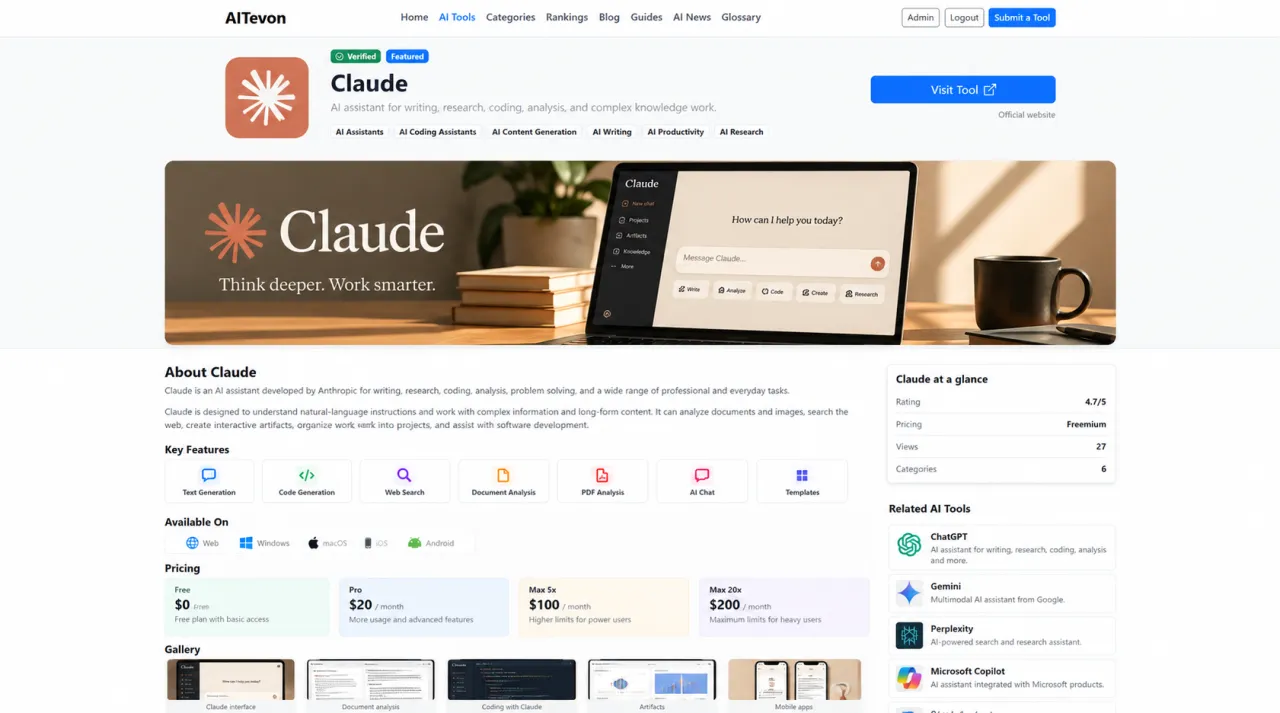
Claude is Anthropic's AI assistant for writing, analysis, research and especially coding. You chat with it in plain language to draft and edit text, work through long documents, reason through complex problems, and write, explain or debug code. It suits developers, writers, analysts and anyone doing thinking-heavy work. A free tier is available, and paid plans add higher usage limits.
Is Claude right for you?
Best for: Developers who want a coding partner that understands intent and produces working code, plus writers, analysts and researchers who need help drafting, editing and reasoning through long documents.
Pros
- In our tests, generated code works on the first run more often than GPT's
- Grasps what we want quickly, with fewer pointless follow-up questions
- Handles long conversations and large inputs while keeping track of details
- Users often praise how it turns rough ideas into clear, structured text
- API, MCP support and a command-line coding tool extend it beyond chat
Cons
- Usage limits can be hit during intense work, forcing a wait
- Occasional service downtime can stop you mid-task
- Cannot generate images or video; it is mainly a text and code tool
- Users report it can be overly cautious or wordy, and file handling is sometimes inconsistent
For coding, Claude is our first choice by a clear margin: it understands what we are after, and its code works first time more often. A homepage that cost us three days of back-and-forth with GPT took about ten minutes here. The trade-off is usage limits and the odd outage, so heavy users should budget for a paid plan and keep a backup tool, but anyone who writes code or does thinking-heavy work should try it.
About Claude
Claude is an AI assistant made by Anthropic that you talk to in plain language to write, think through problems, analyze documents and, above all in our experience, build software. Picture this: you have a half-finished feature, a messy spec and a deadline. You want a collaborator who reads the whole thing, understands what you are actually after, and hands back code that runs. That is the job Claude does best.
It is not only a coding tool. Writers use it to turn rough notes into clean drafts, analysts use it to dig through long reports, and students use it to get clear explanations of hard topics. But we use it every day for development, and that is where it earns its place on our desk.
Where Claude shines, and how the pieces fit
A coding partner that gets the intent
We moved our programming work from GPT to Claude, and the difference shows up in two places: how the collaboration feels and what comes out of it. Claude grasps what we mean faster, asks fewer pointless follow-ups, and its code more often works on the first run. For example, the new AITevon homepage had eaten three days of back-and-forth with GPT. With Claude, the same job took about ten minutes. We also run bigger, more complex projects with it, including a personal assistant we call Jarvis, so this is not just a toy-project impression.
Long context and careful reasoning
Claude handles long conversations and large inputs well. You can paste in a long document, a chunk of a codebase or a lengthy brief and it keeps track of the details as the conversation goes on. For tricky, multi-step problems it can take more time to reason before answering, which helps with architecture decisions, debugging and analysis where the first quick answer is often wrong.
Writing and editing
Give it bullet points, a voice memo transcript or a jumbled draft and it returns structured, readable prose. You can ask it to match a tone, tighten a paragraph or rewrite a section for a different audience. It explains things in an organized way, which makes it useful for documentation and internal guides too.
Files, Projects and Artifacts
You can upload PDFs and other documents and ask questions about them, get summaries or pull out specific points. Projects let you group related chats and reference files so you don't re-explain your context each time. Artifacts open bigger outputs, such as code files, documents or small interactive pages, in a separate panel next to the chat, so you can iterate on them without scrolling through the conversation.
Beyond the chat window
Developers can reach the same models through Anthropic's API, and Claude supports the Model Context Protocol (MCP), which lets it connect to external tools and data sources. There is also Claude Code, a coding tool that works directly in your projects from the terminal and your editor.
Your first session with Claude
- Go to claude.ai and sign up with an email or Google account. The mobile and desktop apps use the same account.
- Start a new chat and describe a real task, not a test question. Include the context: language, framework, audience, constraints.
- Attach files with the paperclip icon if the task depends on a document, a screenshot or source code.
- When the answer appears in an Artifact panel, ask for changes there instead of starting over.
- Once you have a recurring workflow, create a Project, add your reference files and custom instructions, and keep related chats inside it.
- Check the settings for options like response style so the default tone fits how you work.
A real example: building a homepage section in one sitting
Say you run a small directory site and need a new homepage section that shows featured tools in a responsive grid. You open a chat, paste your existing template and the CSS file, and write something like:
Here is my current homepage template and stylesheet. Add a "Featured tools" section under the hero: a responsive grid of cards with logo, name, one-line description and a category tag. Reuse my existing color variables, keep it accessible, and don't touch the header or footer.
Claude returns the updated template and the new CSS, usually with a short note on what it changed and why. You drop it into your project, check it in the browser, and come back with specifics: "cards are too tall on mobile" or "add a hover state". In our experience this loop is short, because the first version is usually close and the fixes are small. That is how a job that dragged on for days elsewhere turned into a ten-minute session for us.
More ways people put it to work
- Developers: refactor a module, write tests for existing functions, or have Claude explain an unfamiliar codebase file by file before you change it.
- Writers and marketers: turn interview notes into a structured article draft, then ask for three alternative intros in different tones.
- Analysts and researchers: upload a long report and ask for the key findings, the weak spots in the methodology and the numbers worth double-checking.
- Founders and product managers: sketch a feature in rough words and get back a clear spec with user stories and edge cases to discuss with the team.
- Students: ask for a step-by-step explanation of a concept, then request practice questions to test understanding.
- Tinkerers building their own assistants: use the API and MCP to wire Claude into personal tools, the way we did with Jarvis.
Tips for better results
- Give it the real files. Pasting the actual code or document beats describing it. Claude is at its best when it can see the full picture.
- State what must not change. Lines like "don't touch the database layer" save you from unwanted rewrites.
- Use Projects for ongoing work. Shared instructions and reference files mean every new chat starts with your context already loaded.
- Ask for brevity when you need it. Add "answer in three sentences" or "code only, no explanation" for quick tasks.
- Split huge jobs. Long sessions eat into usage limits faster, so break big projects into focused chats and start fresh when a thread gets very long.
- Still run the code. It works first time more often than not, but testing is your job, not the model's.
Limits and what to watch out for
The biggest practical issue is usage limits. During intense work sessions you can hit the cap and have to wait before continuing. If you rely on Claude all day, plan for this: keep chats focused, avoid re-uploading large files repeatedly, and consider a higher plan if it blocks you often.
The service also has occasional downtime. It doesn't happen constantly, but when it does it can stop your work in the middle of a task. Keeping a backup tool on hand for urgent moments is a sensible habit.
Claude is mainly a text and code tool. It reads images, but it does not generate images or video, so creative visual work needs a separate tool. And like every language model it can be wrong with confidence, so verify facts, figures and anything that goes to production. For translations and transcriptions we still find other tools perfectly fine, so we don't treat Claude as the answer to everything.
What users say about Claude
Many users praise how easy Claude is to use and how well it turns rough ideas into clear, organized text. People often mention that it keeps track of long, in-depth conversations and that its answers feel well-argued and carefully reasoned. It gets frequent credit for thinking-heavy work, writing and creative projects, and for explaining things in a structured way.
The most common complaint is about usage limits: heavy users report hitting the cap and having to wait, and some feel pushed toward pricier plans for daily workloads. Others point out that it can't create images or video. Some users find file handling inconsistent at times, and a recurring remark is that it can be overly cautious or wordy when all you want is a quick answer.
Pricing in plain words
Claude has a free tier that is enough to try it on real tasks and handle occasional use. Paid plans raise the usage limits and add access to more capable models and features, with options for individuals and for teams or organizations. If you use it lightly, start free. If you code with it daily or run long sessions, the free tier will likely feel tight and a paid individual plan makes more sense. Heavy users who hit limits regularly may need a higher tier. Current prices and plan details are listed on the official pricing page. API usage is billed separately, based on how much you use.
Alternatives worth a look
ChatGPT is a strong all-rounder with image generation and voice features built in. We still use it for translations and transcriptions. Google Gemini fits well if you live in Google Workspace. If you mostly want inline code suggestions inside your editor rather than a conversation, GitHub Copilot may suit your workflow better.
Our take
For coding, Claude is our first choice, and not by a small margin: it understands what we want and its code works more often on the first try. It is also a thoughtful writing and analysis partner. Just go in aware of the usage limits and the occasional outage, and keep a backup for the days you can't afford to wait.
Gallery
Features
Available On
Claude FAQ
Is Claude free?
Yes, Claude has a free tier that is enough for occasional use and for trying it on real tasks. Paid plans raise usage limits and add access to more capable models and features, with options for individuals and teams.
What is Claude used for?
Claude is used for writing and editing, analyzing long documents, reasoning through complex problems and, above all, writing, explaining and debugging code. Features like Projects and Artifacts help with ongoing work and larger outputs.
Does Claude have an API?
Yes, developers can access Claude's models through Anthropic's API, which is billed separately based on usage. Claude also supports the Model Context Protocol (MCP) for connecting to external tools and data sources.
Can Claude generate images?
No. Claude can read and analyze images, but it does not generate images or video, so visual creative work requires a separate tool.