
Midjourney
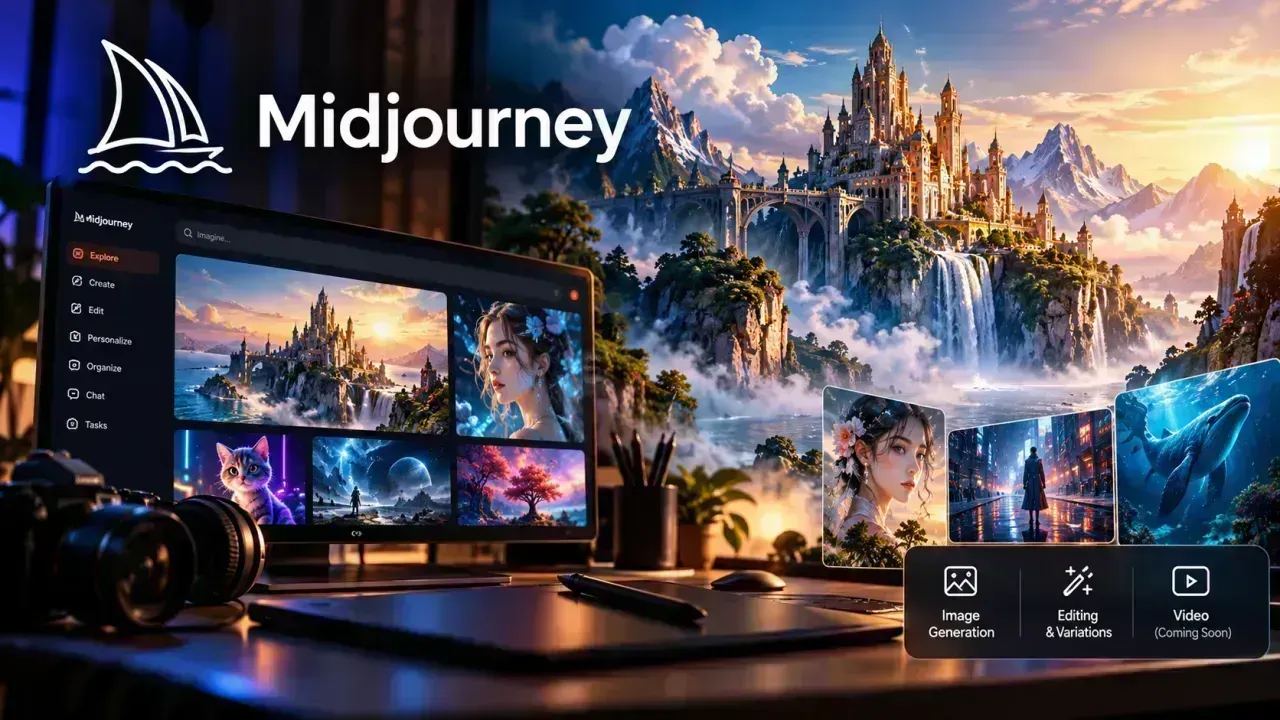
Midjourney is an AI image generator that turns written prompts into polished, often striking artwork and photo-style images. It runs in a web app and on Discord, and suits designers, marketers, illustrators and anyone who needs strong visuals or moodboards quickly. It's less suited to precise, repeatable results, and getting exactly what you want takes some prompt practice.
Is Midjourney right for you?
Best for: Designers, marketers, illustrators and concept artists who need polished, atmospheric images fast for moodboards, pitch decks, campaign concepts and early creative exploration. It suits people who value visual quality over precise, repeatable control.
Pros
- Images look polished and atmospheric even from short, simple prompts
- Variations, region editing, zoom-out and panning refine images without rewriting prompts
- Style and image references help keep a series visually consistent
- Available in a web app as well as on Discord
- Public feed of prompts and images makes learning the model faster
Cons
- No free plan; generating images requires a paid subscription starting at $10/month
- Users report characters and details drift between images, making exact repeats difficult
- Hands, small text, logos and labels often need checking and manual fixes
- Limited direct integration with design software, so final work happens elsewhere
Midjourney remains one of the most dependable ways to get good-looking images quickly, and it is especially strong for moodboards, concept art and visual briefs where atmosphere matters more than accuracy. The trade-off is control: users consistently find it hard to reproduce an exact character or layout, and fine details need a close look before anything goes public. If you want beautiful starting points and are happy to finish the work in Photoshop or Figma, it is well worth the subscription.
About Midjourney
Midjourney is an AI image generator: you describe a picture in words and it gives you several finished images within seconds. Picture this: you're pitching a café rebrand on Thursday and have nothing visual yet. A sentence like "cozy Scandinavian café interior, morning light, muted greens" can give you a dozen mood images to react to before lunch.
It's built for people who think visually but don't have the time, budget or skills to make every image by hand. That includes designers exploring directions, marketers who need campaign concepts, writers and game makers sketching worlds, and hobbyists who enjoy making art. Midjourney is known for its look: images tend to come out more polished and atmospheric than you'd expect from a short prompt. The flip side is that it can be stubborn when you need something very specific.
How Midjourney turns a sentence into a picture
The core idea is simple. You type a prompt, Midjourney produces a small set of options, and you keep refining from there. Most of the work happens in that loop: generate, pick the most promising result, push it further.
Prompts, styles and settings
Your prompt sets the subject, style, lighting and mood. You can also add settings for aspect ratio, how strongly the model applies its own style, or how varied the results should be. For example, a wide 16:9 banner and a tall 9:16 story image can come from the same idea with one small change. You can choose these settings in the web app or add them as short parameters at the end of a prompt.
Variations, edits and expanding the frame
When one image is close but not quite right, you can make subtle or strong variations of it. You can also edit a selected area, for example swapping a coffee cup for a teapot, or zoom out and pan to extend the scene beyond the original frame. This is often faster than rewriting the whole prompt and hoping.
Using images as references
You aren't limited to text. You can upload images to guide the composition, borrow a visual style from a reference, or nudge the model toward a recurring character or object. This is how most people get a series of images that look like they belong together. Expect it to get you close rather than giving you exact copies.
Short animations
Midjourney can also animate a still image into a short video clip. It's handy for adding movement to a concept or a social post, but treat it as a complement to the image tools rather than a full video editor.
A gallery to learn from
The web app includes a public feed of images from other users. Browsing it, and seeing which prompts produced what, is one of the quickest ways to learn what the model responds to.
Your first session, step by step
- Go to the official Midjourney website and sign in. You'll need an active plan to generate images.
- Open the create page in the web app. (You can still use Midjourney through Discord if you prefer, but the web app is easier for beginners.)
- Type a short, concrete prompt: subject, setting, style and light. Press enter and wait for the set of results.
- Open the image you like most. Look for the options to vary it, upscale it, edit a region or zoom out.
- Open the settings panel to set the aspect ratio and style strength before your next prompt.
- Download the final image, and browse your history later to reuse prompts that worked.
One task from start to finish: a moodboard for a product launch
Say a small skincare brand is launching a sea-salt body scrub, and the marketing lead needs a moodboard for the photographer and the packaging designer by tomorrow. She starts with a broad prompt:
minimalist product still life, frosted glass jar of sea salt scrub on wet pale stone, soft overcast coastal light, muted blue and sand tones, editorial photography
The first set gives her four directions. One is too glossy and another has an odd jar shape, but two have the calm, coastal feel she wants. She makes subtle variations of the best one, then asks for a wide-format version to use as a header. She uploads that image as a style reference and generates related shots, such as close-up salt crystals, a towel on driftwood and hands under running water. That gives her a set that hangs together visually.
Within an hour she has eight to ten images. She drops them into a shared doc with short notes such as "this light" and "this texture" for the photographer. She doesn't use the images as final product shots, because the jar and label aren't her real product. They work as a clear visual brief, and that's the job Midjourney does best.
More ways people put it to work
- Concept artists and game designers: rough out characters, creatures and environments to explore many directions before committing to detailed artwork.
- Social media managers: make eye-catching background images and seasonal visuals in exact aspect ratios for each platform.
- Authors and self-publishers: explore cover moods and scene illustrations to brief a cover designer or to share with readers.
- Interior and architecture students: visualize materials, lighting and room styles to discuss options with clients or tutors.
- Agencies pitching ideas: build mood and storyboard frames for a pitch deck instead of relying on stock photo searches.
- Hobbyists: experiment with art styles for fun, prints or personal projects.
Tips for better results
- Describe the scene, not just the subject. "A fox" gives you something generic. "A red fox in fresh snow at dusk, telephoto lens, shallow depth of field" gives the model direction.
- Set the aspect ratio first. Composition changes with format, so a square image rarely crops well into a banner. Use a parameter such as
--ar 16:9or the settings panel. - Say what you don't want. The
--noparameter (for example--no text) helps remove recurring unwanted elements. - Use style references for a series. When images need to match, a reference image is more reliable than adjectives alone.
- Edit before you rewrite. If 80% of an image works, edit a region or make a variation instead of starting over.
- Keep a prompt log. Save prompts that worked for you. Small wording changes can shift the result a lot, and you'll want to reproduce a look later.
Where Midjourney falls short
Precision is the main weak spot. If you need exactly this character in exactly this pose for the third time, Midjourney will often get close and then change something. Hair, clothing or proportions may drift between images. Reference tools help, but for strict consistency, such as a comic series or a brand mascot, plan on some manual touch-ups.
Fine details can also be off. Look closely at hands, small text, logos, product labels and mechanical parts before using an image publicly. Realism varies too: one image might look like a real photo and the next slightly artificial. If you show real products, use Midjourney for the scene and add your real product photo in an editor.
Prompting has a learning curve. The defaults look good, but getting a specific result takes practice. Also, Midjourney doesn't plug directly into most design software, so expect to download images and finish them in tools like Photoshop or Figma. Finally, check the current terms on commercial use and image visibility for your plan before using images in client work.
What users say about Midjourney
Many users say Midjourney produces some of the best-looking images they've gotten from any AI generator, with results that feel artistic and polished rather than flat. It's frequently praised as a fast way to generate visual ideas and moodboards. Reviewers often mention how much time it saves compared with creating visuals from scratch. Several also note that good-looking results come easily once you learn the basics.
The most common complaint is control. Users report that it's hard to get an exact result or to recreate the same image or character consistently. Some point out that fine details can be wrong and realism isn't always reliable. Others say it takes practice to write prompts that produce exactly what they have in mind.
Older reviews often criticize the Discord-only workflow, which is less relevant now that there's a web app. Some users also wish Midjourney connected more directly with the design software they already use.
What it costs, in plain terms
Midjourney uses paid subscription plans. Higher tiers mainly give you more generation time and extra options, such as more privacy for your images. Current prices and plan limits are on the official pricing page, and they change from time to time, so check there before you subscribe.
As a rule of thumb, the entry plan is enough for trying the tool and occasional personal use. If you use it every day for client work or produce lots of images, look at the middle and higher tiers. Teams should also check the commercial-use terms and privacy options for their plan.
Alternatives worth a look
If you want to describe and adjust images in a conversation, ChatGPT's built-in image generation is easier to steer and often better at rendering text inside images. If your work happens in Adobe tools and you care about commercially safe training data, Adobe Firefly fits naturally into Photoshop and Illustrator. If you want more control over models and settings with a generous free plan, Leonardo AI is a solid option, and Stable Diffusion-based tools go even further if you're willing to handle the setup.
Our take
Midjourney is still one of the best tools for making beautiful images quickly, especially for exploring ideas, moodboards and concept work. It's less dependable when you need pixel-precise or perfectly repeatable results, so plan on a design editor for the final steps. If good looks matter more to you than precise control, it's worth paying for.
Gallery
Features
Available On
Midjourney FAQ
Is Midjourney free?
No. Midjourney runs on paid subscription plans, with pricing starting at $10 per month. You need an active plan to generate images, and higher tiers add more generation time and options such as greater image privacy.
What is Midjourney used for?
Midjourney turns written prompts into finished images. People use it for moodboards, concept art, campaign ideas, social media visuals, book cover exploration and pitch deck storyboards.
Do I need Discord to use Midjourney?
No. Midjourney now has a web app where you can create, edit and browse images. Discord is still available if you prefer it, but the web app is easier for beginners.
Can Midjourney create consistent characters across images?
It can get close. Uploading reference images helps guide style, characters or objects, but users often report that details such as hair, clothing or proportions drift between images, so strict consistency may still need manual touch-ups.