

Descript
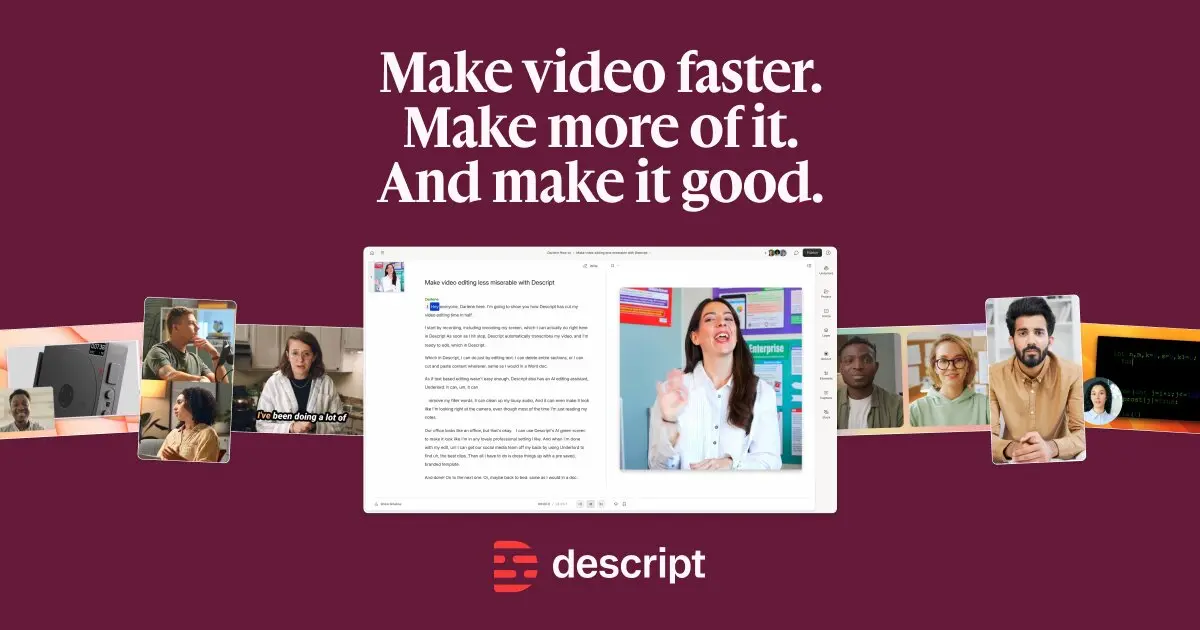
Descript is an AI video and audio editor where the transcript is the edit: delete a sentence and that part of the recording is removed. It can record yourself, your screen or remote guests, clean up audio, remove filler words, add captions, cut social clips, translate and publish. It suits podcasters, YouTubers, course creators and teams that produce spoken-word video without a dedicated editor.
Is Descript right for you?
Best for: Podcasters, YouTubers, course creators and marketing teams who work mostly with spoken-word video and audio and want to cut it without learning a timeline editor. It also suits teams that need to record remote guests, clean up audio and publish from one place.
Pros
- Edit video and audio by deleting or moving words in the transcript
- Records camera, screen and remote guests in Rooms up to 4K
- One-click cleanups: Studio Sound, filler-word removal, Eye Contact, Green Screen
- Underlord AI co-editor makes a reviewable first cut from a plain-language prompt
- Captions, clips, translation and publishing live in the same project
Cons
- Media hours and AI credits are capped per plan, and AI tools burn credits quickly
- Users report lag and occasional crashes on long projects and modest laptops
- Advanced features and navigation take time to learn beyond the basics
- Support can be slow to respond when something goes wrong
Descript earns its reputation on spoken-word content: cutting an interview or podcast by editing the transcript is genuinely faster than scrubbing a timeline, and the AI cleanups save real hours. The trade-off is that heavy AI use runs into credit limits, and long projects can get sluggish on ordinary laptops. Try it if you talk for a living and dread editing; look elsewhere for effects-heavy or multicam work.
About Descript
Descript is a video and audio editor that turns your recording into a text document, so you can edit the footage the same way you would edit a doc. If you have a rambling 40-minute Zoom interview and need a tidy 12-minute episode by tomorrow, you scroll through the words, delete what you don't want, and the video follows along.
It's built for people whose content is mostly talking: podcast hosts, YouTubers who film themselves, teachers recording lessons, and marketing or sales teams that need regular video but don't have an editor. If your work is mostly music videos, action footage or heavy visual effects, the core idea matters less, and you'll feel that quickly.
How editing by transcript changes the job
Everything starts with the transcript. You record inside Descript or drag in a video, audio file or Zoom recording, and it transcribes it automatically in dozens of languages. From then on, deleting a word cuts that moment from the media, and moving a sentence moves the matching footage. A regular timeline is still there for precise trims, but you can finish a simple talking-head video without opening it.
One-click cleanup
The cleanup tools fix the problems most home recordings have. Studio Sound removes background noise and echo and makes a voice clearer. Remove Filler Words clears out the "ums" and long pauses in one pass, and Remove Retakes keeps your best attempt at a line and drops the rest. On the video side, Eye Contact shifts your gaze toward the lens, Studio Lighting adds even, portrait-style light to a dim shot, and Green Screen swaps or removes the background without a physical green screen.
Underlord, the AI co-editor
Underlord is the agent-style part of the app. You give it a raw recording and a goal in plain language, for example "tighten this to eight minutes and cut the off-topic bits," and it makes a first pass: cutting filler, picking takes, adding scenes and generating clips. Each change can be reviewed or undone, so treat it like a junior editor whose work you check, not a final pass.
Fixing and filling gaps
Regenerate lets you fix a flubbed line by typing the correction, and Descript recreates the matching audio and video. Paid plans add AI speech with custom voice clones. If you're missing B-roll, you can generate video, images, voice or music from a prompt with a choice of models, or pull from the stock library on higher plans.
Getting it out the door
Once the edit is done, Descript adds styled captions synced to the transcript, writes a YouTube description, inserts named chapters, drafts show notes and can generate a thumbnail. Create Clips finds strong moments in a long recording and reformats them for vertical platforms, and translation and dubbing turn one video into versions for other languages. Reviewers can leave comments right on the video, and you can export in different formats or publish directly. For teams with developers, there's an API, plus an MCP connector that lets AI assistants such as Claude or ChatGPT transcribe, edit and clip through chat.
Your first session, step by step
- Create a free account on the official Descript website. No credit card is needed, and you can use the browser version or download the desktop app.
- Start a new project and pick a source: record your camera, your screen, or invite a guest through Rooms, or drag in a file you already have.
- Let the transcript finish, then read through it like a draft. Delete one sentence and play it back so you can see how the cut works.
- Open the AI tools and run Studio Sound and Remove Filler Words. Listen to a minute or two before applying them to everything.
- Try Underlord with a short, specific instruction and go through each change it lists.
- Add captions, check the timeline for any rough joins, then export or publish.
From a raw webinar to a lesson and three clips
Picture a product marketer with a 50-minute recorded webinar: a presenter, a slide share and a Q&A at the end. She wants a 15-minute on-demand version for the website and a few short clips for LinkedIn.
She drops the recording into a new project and reads the transcript. She deletes the five minutes of "can everyone hear me?" at the start and removes two audience questions that went nowhere. Then she runs Remove Filler Words and Studio Sound, because the presenter's mic picked up an air conditioner. Next she gives Underlord a clip brief:
Find three moments where the presenter explains a specific customer problem and how the product solves it. Keep each under 45 seconds, format them vertically, and add captions.
She gets three draft clips back. One starts mid-sentence, so she drags its start point back a few words in the transcript. She exports the long version with auto-generated chapters, copies the generated description into the video page, and sends the clips to a colleague through a share link for comments before posting.
More ways people put it to work
- Interview podcasters: record remote guests in Rooms with a separate track per person, clean each voice on its own, and pull show notes from the same transcript.
- Course creators: record screen and camera together, cut stumbles by deleting text, and add captions for students who watch with the sound off.
- Founders and consultants: record a quick product walkthrough, fix a misspoken feature name with Regenerate, and share a link without reshooting.
- Support teams: turn recurring answers into short how-to videos that non-editors can update when the product changes.
- Global marketing teams: translate and dub a launch video into other languages on the Business plan, with Brand Studio keeping templates consistent.
- Developers and ops folks: use the API or MCP connector to automate transcription and clip creation for a large backlog of recordings.
Tips for better results
- Get the source audio right. Studio Sound helps a lot, but a decent mic in a quiet room still gives the cleanest result.
- Do the big structural cuts in the transcript first, and only open the timeline for the final polish.
- Give Underlord numbers and a target: length, platform, tone, and what to keep. Vague requests tend to come back as generic cuts.
- Watch your AI credits. Underlord, Studio Sound, Eye Contact, Green Screen and generated media all draw from the same pool, and plain editing doesn't.
- Use Remove Retakes when you record a line several times, so you're not hunting for the best take by hand.
- Proofread the transcript around names and jargon before you add captions, since captions follow the text.
Limits and things to watch out for
Descript works best with speech. Projects that depend on music timing, multi-camera action or detailed color grading still belong in a traditional editor, and Descript's timeline is not meant to replace one. The app also has a lot of panels and tools, so expect some exploring once you go beyond basic cuts.
The free plan includes 100 AI credits once, not every month, so it's a trial of the AI features rather than a long-term setup. On paid plans, media hours count everything you upload or record, whether or not you transcribe it. If you push the AI effects hard, footage can start to look processed. Descript lets you control the strength or turn the effects off, which is worth doing on close-up shots.
What users say about Descript
The praise centers on the core workflow. Many users say editing by deleting words feels like working in a document instead of fighting a timeline, and that people with little editing experience can make usable cuts quickly. Podcasters and creators who make interview or talking-head content often describe it as a fast way to finish episodes. Having recording, transcription, editing and publishing in one app is another common reason people stick with it, and users regularly point to ongoing AI improvements such as filler-word removal, Studio Sound and AI voices.
The complaints are mostly practical. A common one is performance: users report lag and occasional crashes on laptops, especially with long projects. Others mention a learning curve once they move into advanced features and navigation, keyboard shortcuts or tools that behave unexpectedly, and support that can feel limited when something breaks.
Pricing in plain words
The Free plan lets you record, edit and publish without a credit card and gives you a one-time batch of AI credits to test Underlord and the other AI tools. Hobbyist costs $16 per person per month billed yearly, or $24 billed monthly. It includes 10 media hours, 400 AI credits a month, watermark-free 1080p export, Underlord, the core AI tools, and voice clones with Regenerate. That's the sensible starting point for a solo podcaster or YouTuber.
Creator is listed at $35 per person per month. It raises the limits to 30 media hours and 800 AI credits, adds 4K export, video generation with newer models, unlimited stock media and top-ups. It fits people publishing several videos a week. Business is $50 per person per month billed yearly or $65 monthly, with 40 media hours, 1,500 credits, Brand Studio, translation and dubbing in 30+ languages, custom avatars and priority support. Enterprise is custom-priced through sales and adds SSO, SCIM, audit logs and AI data controls. Discounts for students, educators and nonprofits are available on request. Check the official pricing page before you buy, since plans change.
Alternatives worth a look
If studio-quality remote recording is your main priority and editing comes second, Riverside is built around that workflow. For quick browser-based editing with auto subtitles and dubbing, often for marketing videos, VEED is a close competitor. If you mainly make short, trend-driven social videos and want lots of effects and templates, CapCut is free to start and better suited to that style.
Our take
For anything where people talk on camera or into a mic, we think Descript is one of the most practical editors around: the transcript workflow saves time, and the cleanup tools fix the usual home-recording problems. Keep an eye on credits and media hours as you grow, and don't expect it to replace a full editor for visually complex work. If you dread editing your own recordings, the free plan is worth an afternoon.
Features
Available On
Descript FAQ
Is Descript free?
Yes. There is a free plan with no credit card required, including a one-time allowance of 100 AI credits for Underlord and the other AI tools. Paid plans start at $16 per person per month billed yearly, or $24 monthly.
How does editing by text work in Descript?
Descript transcribes your recording automatically, and that transcript is the edit. Deleting a word removes that moment of video, and moving a sentence moves the footage with it. A timeline is still available when you need frame-level control.
Does Descript have an API or MCP?
Yes. The Descript API lets you automate transcription, editing and clip creation, and Descript MCP lets AI agents such as Claude or ChatGPT do the same through conversation.
Can Descript record remote guests?
Yes. Rooms records remote guests in up to 4K with separate tracks per participant, and guests join from a browser link. You can also import existing footage or a Zoom recording and start editing once it is transcribed.