ONLYOFFICE Docs Developer: A Practical Review for Software Teams
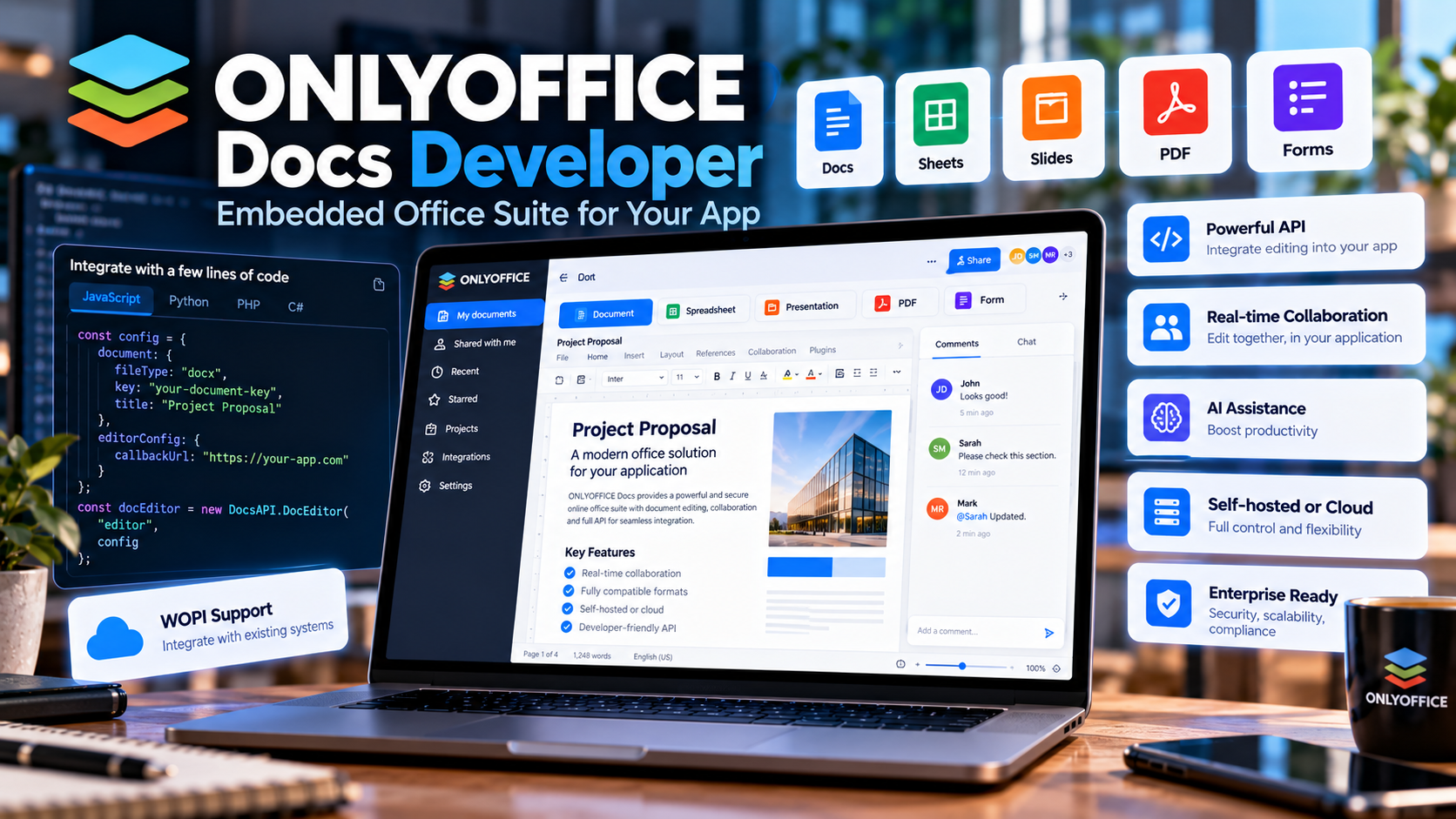
ONLYOFFICE Docs Developer: A Practical Review for Software Teams
Adding professional document editing to a web application is a much larger engineering task than it may initially appear. A platform that needs to handle documents, spreadsheets, presentations, PDFs, forms, collaboration, and file compatibility must reproduce a large amount of functionality while also integrating it cleanly into the application's existing workflow.
ONLYOFFICE Docs Developer takes a different approach: instead of building an office editor from scratch, developers can integrate a ready-made editing environment directly into their own software.
This makes it relevant for SaaS products, CRM systems, project management platforms, document-management applications, collaboration tools, ERP systems, and other web applications where users need to create or edit files without leaving the platform.
What Is ONLYOFFICE Docs Developer?
ONLYOFFICE Docs Developer is the developer-oriented edition of the ONLYOFFICE document editing suite. It is designed to let software companies embed document-editing capabilities into their own applications and deliver the experience inside their own product environment.
The suite includes editors for text documents, spreadsheets, presentations, PDF files, and digital forms, along with additional functionality such as plugins, macros, collaboration tools, and API-based integration.
The important distinction is that the editor becomes part of the application rather than forcing users to move to a separate office product.
What Can You Embed?
ONLYOFFICE provides several editors that can be integrated into a web-based product.
- Document Editor: for creating and editing professional text documents.
- Spreadsheet Editor: for working with spreadsheets, formulas, tables, filtering, and data analysis.
- Presentation Editor: for creating and editing slide presentations.
- PDF Editor: for viewing, editing, annotating, and working with PDF files.
- Form Creator: for creating and completing digital forms.
- Diagram Viewer: for viewing supported diagram formats.
This broad coverage means that a developer can provide more than a simple text editor. The same integration can become a complete document workspace inside a SaaS application.
1. Integration Is the Main Selling Point
The strongest reason to consider ONLYOFFICE Docs Developer is integration.
Instead of asking users to download a document, open another application, make changes, save the file, and upload it again, developers can keep the editing process inside their own product.
For example, a CRM could allow users to edit customer proposals directly from a customer record. A project-management platform could attach editable project documents to individual tasks. An HR application could provide contracts and forms without sending employees to an external editor.
This can reduce friction and create a more consistent product experience.
2. API and WOPI Support
ONLYOFFICE Docs Developer is designed around integration rather than standalone use. Its developer offering provides an open API and WOPI support, giving teams multiple ways to connect the editors with their own infrastructure.
Developers can connect document events and editing workflows to their application's backend logic. The suite also provides integration examples and support for a wide range of programming environments.
This makes it suitable for teams building products with technologies such as PHP, Node.js, Python, Java, .NET, Ruby, and other common development stacks.
3. Collaboration Is Built In
Modern document workflows often require more than single-user editing. Teams may need to work on the same document, leave comments, track changes, and review different versions.
ONLYOFFICE supports collaborative editing modes, comments, change tracking, document versions, and other collaboration functionality.
For a SaaS company, having these capabilities available as part of the integrated editor can eliminate a substantial amount of custom development.
4. AI Can Be Added to the Editing Workflow
AI is another area where an integrated office suite can provide additional value.
ONLYOFFICE supports AI-assisted workflows inside its editors. Depending on the configuration, AI can help with tasks such as rewriting text, generating content, summarizing information, correcting writing, translating content, analyzing data, and generating other material.
The platform also supports connections to different AI providers and local models, giving developers more flexibility over how AI functionality is deployed.
For products handling sensitive business documents, the ability to consider locally hosted or controlled AI models can be particularly relevant.
5. Compatibility With Common Office Formats
File compatibility is one of the most important considerations when embedding an office suite.
ONLYOFFICE is designed to work with widely used document formats, including Microsoft Office formats such as DOCX, XLSX, and PPTX, as well as numerous open and alternative formats.
This matters because users generally expect files created in an integrated editor to remain usable when exchanged with colleagues, customers, suppliers, or other applications.
Compatibility should still be tested with the specific document types and workflows used by your application. Complex formatting, macros, external references, and specialized documents can behave differently across office platforms.
6. Plugins and Macros Extend the Platform
An embedded editor does not have to remain limited to its default functionality.
ONLYOFFICE supports plugins that can add new capabilities or connect external services. Developers can also create their own integrations for specialized workflows.
Macros provide another automation mechanism. They can be used to automate repetitive operations inside documents, spreadsheets, presentations, and other supported environments.
This makes the platform more adaptable for vertical SaaS products that need document workflows tailored to a particular industry.
7. White Label and Product Branding
For software companies, maintaining a consistent product identity is important. Users should ideally feel that document editing is part of the application rather than a separate service.
ONLYOFFICE provides branding and customization options for developer-oriented deployments, allowing companies to integrate document functionality into their own product experience.
The exact level of customization depends on the edition and licensing arrangement, so development teams should review the current commercial terms before designing their implementation around specific white-label capabilities.
8. Self-Hosting and Data Control
Another important consideration is deployment.
ONLYOFFICE Docs Developer can be deployed in environments controlled by the software provider. Developer installations are supported across environments including Docker, Linux, and Windows.
This can be important for applications where organizations require greater control over infrastructure, document processing, access policies, or data residency.
Self-hosting does, however, transfer additional responsibilities to the development or infrastructure team. Updates, security configuration, authentication, monitoring, backups, scaling, and system maintenance must all be considered as part of the overall deployment.
9. Security and Access Control Matter
Embedding an office editor inside an application means that document security becomes part of the application's architecture.
Teams should consider authentication, authorization, document permissions, secure communication, token management, network access, and storage architecture before deploying the integration to production.
ONLYOFFICE provides configuration options such as JWT authentication and security controls, but the final security model still depends heavily on how the surrounding application is designed.
10. The Developer Experience
For development teams, the quality of the integration layer can be just as important as the editor itself.
ONLYOFFICE provides APIs, documentation, examples, plugins, macros, and developer resources intended to help teams connect the suite with their applications.
The availability of examples for multiple programming languages can also reduce the initial integration effort.
Nevertheless, integrating an office suite is not a trivial frontend task. Developers need to understand document storage, callbacks, permissions, authentication, file lifecycle management, and the relationship between the editor and the application's backend.
Where ONLYOFFICE Docs Developer Makes Sense
The technology can be particularly interesting for products where documents are already an important part of the workflow.
- CRM platforms: proposals, contracts, reports, and customer documents.
- Project management software: specifications, reports, plans, and shared project files.
- ERP systems: business documents, forms, financial files, and operational reports.
- Document management platforms: editing and collaboration without leaving the repository.
- Education platforms: assignments, forms, documents, and collaborative content.
- Legal software: contracts, case documents, forms, and review workflows.
- HR platforms: employment documents, forms, policies, and employee files.
- Collaboration software: shared documents and team editing.
What Developers Should Evaluate Before Choosing It
ONLYOFFICE Docs Developer can remove a large amount of work compared with building a complete office editor internally, but it is still important to evaluate the integration against the requirements of the product.
Check the document formats
Identify the formats your users actually exchange and test representative files rather than relying only on a compatibility list.
Test complex documents
Use real-world documents containing tables, images, charts, formulas, headers, footers, comments, and other formatting elements.
Review deployment requirements
Determine where the editor will run, how much infrastructure it requires, how it will scale, and who will maintain it.
Plan document storage carefully
The editor is only one part of the workflow. Your application still needs a reliable strategy for storing files, tracking versions, controlling permissions, and handling document lifecycle events.
Evaluate AI requirements
If AI functionality is important, determine which models and providers are acceptable for your users and whether local or externally hosted processing is appropriate.
Review licensing
Commercial deployment requirements can differ depending on the edition, deployment model, and intended use. Confirm the current licensing terms before moving from prototype to production.
ONLYOFFICE Docs Developer vs Building an Editor From Scratch
| Factor | Build Internally | ONLYOFFICE Docs Developer |
|---|---|---|
| Initial development effort | Very high | Lower |
| Document editing | Must be developed | Ready-made |
| Spreadsheet functionality | Must be developed | Included |
| Presentation editing | Must be developed | Included |
| PDF functionality | Must be developed | Included |
| Collaboration | Must be developed | Available |
| API integration | Custom architecture | Provided |
| Maintenance | Fully internal | Reduced development burden |
| Customization | Maximum control | Depends on available APIs and licensing |
Final Thoughts
ONLYOFFICE Docs Developer is best understood as an infrastructure component for software products rather than simply another office application.
Its main value comes from allowing development teams to add sophisticated document editing, collaboration, PDF handling, forms, AI capabilities, and integration features without building an entire office suite themselves.
The approach is particularly compelling when documents are central to the application's workflow. A SaaS product that already manages customers, projects, files, contracts, reports, or business processes can use an embedded editor to keep users inside the product while still providing familiar office functionality.
The main considerations are not limited to the editor itself. Teams should evaluate deployment, security, storage, document compatibility, scalability, licensing, and integration complexity before committing to a production architecture.
For developers who need an embedded office environment rather than a standalone productivity application, ONLYOFFICE Docs Developer provides a broad set of capabilities that can significantly reduce the amount of functionality that needs to be developed internally.