
MyMemo
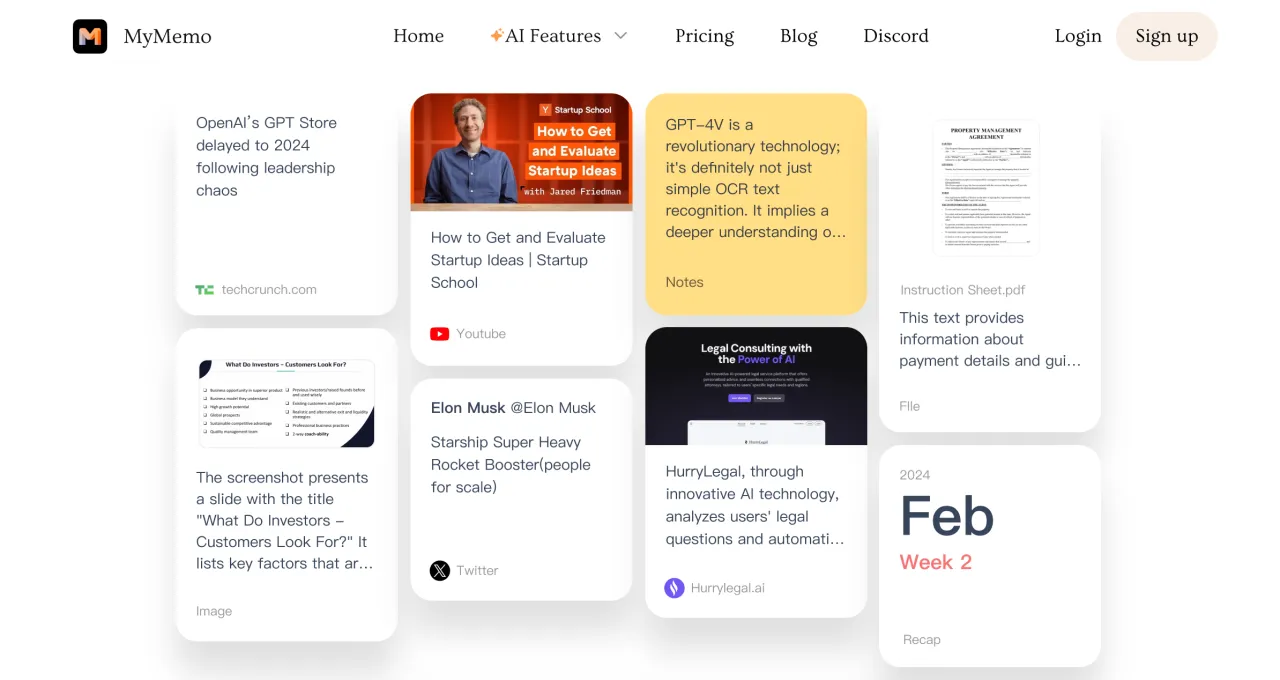
MyMemo is an AI second brain for saving articles, YouTube videos, PDFs, X threads, images, notes and voice recordings in one library. It summarizes and tags each item, answers your questions with numbered sources from what you saved, and turns saved content into short podcast episodes. It suits researchers, students and professionals who read a lot and want to find things again. Free plan available, with apps for web, iOS, Android and Chrome.
Is MyMemo right for you?
Best for: Researchers, students, writers and consultants who save a steady stream of articles, PDFs, YouTube videos and recordings and need to search and question that material later with cited answers. Small teams that want a shared reading library with its own AI chat will also find a fit.
Pros
- AskMemo answers from your own library with numbered, clickable sources
- Captures articles, YouTube, X threads, PDFs, images, notes and voice recordings
- Collections let you scope AI chat to a single project or topic
- MemoCast turns saved content into short, roughly 3-minute podcast episodes
- Web, iOS, Android and Chrome extension included on every plan, plus MCP connections
Cons
- Free plan is tight: 50 chat messages, 3 YouTube summaries, 5 MB PDFs
- The Agent and image generation cost extra prepaid credit beyond any plan
- Agent is still in beta, and OpenMyMemo is described as early-stage
- Team plan can only be purchased on the web app, not in mobile apps
MyMemo does the core second-brain job well. It pulls scattered reading into one library, summarizes each item on arrival, and answers questions with sources you can check, which is the main reason to choose it over a general chatbot. The catch is that the Free tier works more like a trial than a home, and the Agent's reports and slides are billed separately on credit. If you read and research daily, start free with a small, relevant collection, and expect to move to Pro once the tool earns a place in your routine.
About MyMemo
MyMemo is a personal knowledge library with an AI assistant built in. You save the things you read, watch and record, and later you ask questions about them in plain English. Think of the article you skimmed three weeks ago, the 40-minute YouTube talk with one great idea in the middle, and the PDF report a colleague sent. Normally they end up in different places and are hard to find again. MyMemo puts them in one place and lets you ask, "What did I save about pricing strategy?" and get an answer that points back to the original sources.
It is built for people whose work depends on remembering what they've read: researchers, students, writers, consultants, founders and anyone who keeps 30 browser tabs open "for later." If your current system is a pile of bookmarks plus a notes app you rarely search, this is the problem MyMemo is trying to solve.
How MyMemo turns a pile of links into something you can ask questions
Capture from wherever you are
You can add articles, links, YouTube videos, X threads, PDFs, images, screenshots and your own notes. On desktop the Chrome extension does most of the work. On iOS and Android you use the share sheet, so saving from a news app or YouTube takes a couple of taps. MyMemo also sells M-NOTE, a card-sized voice recorder (3.94 mm thin, 33.4 g, 64 GB of storage). Once paired, its recordings become memos with a speaker-aware transcript, a summary, highlights and follow-up questions.
Every item gets summarized and tagged on arrival
Each memo opens with a one-line summary, the key points and the source text. Each one is also tagged automatically. Next to the memo there's a chat panel, so you can ask questions about that single document without leaving the page. For example, you could save a long industry report and ask "which three numbers matter most here?" right beside it.
AskMemo: chat with everything you've saved
This is the core of the product. AskMemo searches your whole library and answers with numbered sources you can click open. You can pick the model per chat: MyMemo Fast on every plan, plus MyMemo Smart and more advanced models on Pro and above. Collections let you group memos by topic or project and limit the chat to that collection. This matters once your library grows, because you can ask a question about your thesis sources without hits from your recipe clippings.
MemoCast and the Agent
MemoCast turns content you've saved into a personalized podcast feed of roughly 3-minute episodes. It's a good way to review yesterday's reading on the commute. The MyMemo Agent (in beta) goes a step further. Ask it for a research article, slide deck, report or dashboard, and it builds one from material in your library and stores the result in Files. Agent work and image generation are paid from prepaid AI credit, on top of any plan.
Projects, Team Space and connections to other AI tools
A Project holds one piece of real work: the collections and memos it needs, your uploads, and the documents the Agent produces. The Agent looks in the project first and keeps earlier versions of files it edits. Team Space gives a group a shared library and a team AskMemo, with Owner, Admin, Editor and Viewer roles. Through MCP, you can connect Claude and other MCP apps to your MyMemo library so they can search your notes. There is also OpenMyMemo, a separate, free, open-source project. It keeps AI memory as Markdown files on your own computer and doesn't need a MyMemo account.
Your first session with MyMemo
- Sign up on the web app. The Free plan needs no credit card.
- Install the Chrome extension, and the iOS or Android app if you save a lot from your phone.
- Save five to ten things you actually care about right now: a couple of articles, one YouTube video and a PDF. A small, relevant library is the fastest way to see whether AskMemo is useful to you.
- Open one memo and read its summary and key points. Try the side chat with a question about that item.
- Create a collection for your current project and move the related memos into it.
- Open AskMemo, scope it to that collection, and ask a question that needs more than one source. Click the numbered citations to check the answers.
- If you like listening, generate a MemoCast episode from a few recent saves.
A real example: a founder preparing for investor meetings
Say you're a founder who has spent two weeks saving fundraising material. That includes a few blog posts on seed rounds, two YouTube interviews with investors, a PDF term-sheet guide and a voice memo of advice from a mentor. Everything goes into a collection called "Seed round."
Before your first pitch, you open AskMemo, scope it to that collection and type:
Based on what I've saved, what are the most common questions investors ask at the seed stage, and which of my sources disagree about valuation?
AskMemo replies with a list of recurring questions and notes where the sources differ. Every claim carries a numbered citation. You click through to the investor interview to check the exact context. You then copy the strongest points into your prep doc. On the way to the meeting, you play a MemoCast episode made from the same collection as a quick refresher. The useful part isn't the AI writing for you. It's the AI remembering what you already found, with the receipts attached.
More ways to use it
- Graduate students: Save papers and lecture recordings into one collection per chapter, then ask cross-source questions while drafting. Always check the citations before quoting.
- Content writers: Keep a reference library of examples, stats and inspiration. Ask "what have I saved about remote work productivity?" when you start a new piece.
- Consultants: Create a Project per client with their documents and your research. Let the Agent draft a first-pass report from that material.
- Small teams: Use Team Space as a shared reading list that answers questions, so new members can ask the team library instead of hunting through chat history.
- Lifelong learners: Save long YouTube lectures and listen to MemoCast summaries instead of rewatching them.
- Heavy Claude or Cursor users: Connect MyMemo over MCP so your other AI tools can search your saved notes.
Tips for better results
- Use collections early. Scoped chats give tighter answers than asking your entire library, especially once it contains hundreds of memos.
- Ask questions that need your library. AskMemo is strongest at "what did I save about..." and "where do my sources disagree..." questions. General questions are better handled by a general chatbot.
- Click the numbered sources. They're the main reason to use a grounded tool. Checking them takes seconds and catches misreadings.
- Watch the YouTube and transcription quotas. On Free you get only 3 YouTube summaries and 3 audio transcriptions a month, so save the long videos that matter most.
- Compress big PDFs or upgrade. Free caps PDFs at 5 MB, Pro at 30 MB and Ultra at 50 MB.
- Try different models for different jobs. Use the fast model for quick lookups and a more capable one for synthesis across many sources.
Limits and things to watch out for
The Free plan is a trial more than a home. It includes 50 AI chat messages, 10 document uploads, 10 link saves, 10 image uploads and 5 collections per month. That's enough to judge the idea, but a daily reader will hit the ceiling quickly. Also note that saves count against the allowance of whoever makes them, even inside a team.
The Agent is labeled beta. It runs on prepaid credit rather than your subscription, so budget for it separately if reports and slides are your main goal. OpenMyMemo is described by the company itself as an early-stage open-source project that may be rough in places. Finally, any AI summary can flatten nuance. For anything you plan to cite or act on, open the original source.
What users say about MyMemo
The feedback collected so far mostly describes MyMemo as a "second brain." People value having articles, PDFs, YouTube videos, screenshots and voice notes in one place instead of scattered across apps. The automatic summaries and the ability to chat with everything they've saved come up as the main draw.
Users also mention turning saved content into short audio episodes as a distinctive extra, and shared team knowledge hubs as useful for groups. The feedback we have doesn't include a clear pattern of complaints, so it's worth testing the Free plan against your own reading habits before committing.
Pricing in plain words
There are four tiers, with lower prices if you pay yearly:
- Free: No credit card. Good for testing the idea with a small library.
- Pro: $9.9 a month on monthly billing, or $5.9 a month billed annually. Includes 1,000 chat messages, 200 document uploads, 1,000 link saves, 100 YouTube summaries, 300 M-NOTE minutes, Projects with 1 GB of storage and MCP access. This is the sensible plan for anyone who reads and researches daily.
- Ultra: $19.9 a month on monthly billing, or $11.9 a month annually. Roughly triples the chat allowance and raises the YouTube, transcription and storage limits. It makes sense for power users who live in the app.
- Team: $12 per seat a month, or $8 per seat billed yearly ($96 a year), with at least 2 seats. Every member gets Pro allowances. A Team Free tier covers up to 3 people, with everyone keeping their own plan.
Agent and image generation are paid separately from prepaid AI credit. Current details are on the official website.
Alternatives worth a look
NotebookLM is the closest match if you mainly work from a fixed set of documents for one project at a time and want audio overviews. MyMemo is better as an ongoing library that keeps growing with everything you save. If your notes already live in a workspace with docs and databases, Notion AI may fit better, because the AI sits where you already write. If meetings are your main source of knowledge, otter.ai is more focused on recording and summarizing calls.
Our take
MyMemo makes the most sense for people who save far more than they reread. Its value comes from the combination of easy capture, cited answers from your own library, and extras like MemoCast. The Free plan is tight, but it's enough to tell whether "ask my own reading" changes how you work. If it does, Pro on annual billing is a reasonable price for it.
Features
Available On
MyMemo FAQ
Is MyMemo free?
Yes. MyMemo has a Free plan with no credit card required, offering 50 AI chat messages, 10 document uploads, 10 link saves and 5 collections per month. Paid plans start with Pro at $9.9 per month on monthly billing, or $5.9 per month billed annually.
What is MyMemo used for?
MyMemo stores articles, YouTube videos, X threads, PDFs, images, notes and voice recordings in one library and summarizes and tags each item. You can then use AskMemo to ask questions across everything you saved and get answers with numbered sources. Users most often describe it as a second brain for research and reading.
What platforms does MyMemo support?
MyMemo runs as a web app, with apps for iOS and Android and a Chrome extension for web capture. All plans include every platform, and mobile apps let you save content from any app through the share sheet.
Does MyMemo work with Claude or other AI tools?
Yes. Through MCP you can connect Claude and other MCP-compatible apps to your MyMemo library so they can search your notes and collections. Pro includes 500 MCP calls per month and Ultra includes 1,000.