

Prompt Hackers
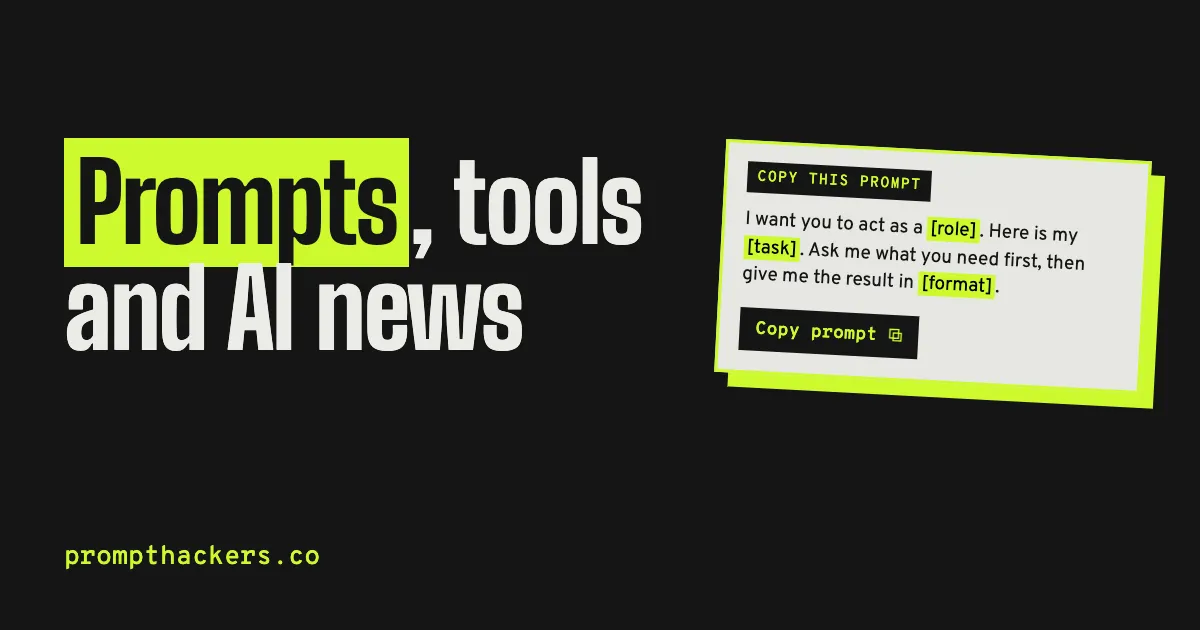
Prompt Hackers is a free library of ready-made prompts for ChatGPT, Claude and Gemini, sorted by task: writing, marketing, sales, coding, data, study, everyday admin and photo edits. Each prompt shows the blanks you fill in with your own details, so you can copy it, paste it into your chat and get a more focused answer. It also offers free prompt generators for turning a rough task into a structured prompt.
Is Prompt Hackers right for you?
Best for: People who already use ChatGPT, Claude or Gemini and want ready-made, task-specific prompts for work, study and everyday admin without learning prompt engineering. It also suits anyone who wants a quick way to turn a rough task into a structured prompt.
Pros
- Every prompt is free to copy, with no paid plan or locked content
- Each prompt lists the bracketed blanks you need to fill in
- Many prompts make the model quote sources or ask before guessing
- Covers work, study, admin, image and video tasks, browsable by task or search
- Free prompt generators, including a Claude-formatted version and a prompt optimizer
Cons
- Some prompts need image uploads, video generation or connected Gmail and Calendar, which your assistant or plan may not support
- Seasonal and trend-driven additions make browsing feel scattered; search is often faster
- Many prompts ask for resumes, letters or inbox data, which goes to whichever AI service you use
We like Prompt Hackers because its prompts are built around specific jobs and push the model to show its evidence instead of filling gaps with guesses. It improves your instructions, not the model, and some prompts rely on assistant features you may not have. If you keep getting generic answers from your chatbot, it's a free and useful bookmark, especially for its prompt generators when nothing in the library fits.
About Prompt Hackers
Prompt Hackers is a free library of ready-to-paste prompts for ChatGPT, Claude and Gemini, organized by the job you are trying to get done. It solves a familiar problem: you open a chat window, type something vague like "check my resume," and get a generic answer that could apply to anyone. A good prompt fixes that by telling the model exactly what to look at, what to ignore and what shape the answer should take. Most of us don't have time to write those from scratch.
It's for anyone who already uses an AI assistant and wants better results without studying prompt engineering: job seekers, marketers, students, freelancers, developers and people dealing with everyday paperwork. Every prompt is free to copy, and there is no paid plan to unlock anything.
How the prompt library works
The core of the site is a large, growing set of prompts you can browse by task or search. The homepage highlights the prompts people copied most that week, plus a stream of the latest additions. Topics range from work staples like sales, marketing, SEO and coding to very specific situations, such as checking a hotel confirmation for hidden charges or splitting shared trip costs.
What sets these prompts apart is how specific they are. Each card tells you what the prompt does and lists the blanks you need to fill in, marked in brackets. For example, the resume prompt asks for your resume and the job description. The prompt for a faulty purchase asks for the item, the dates and what went wrong. You swap your details into the brackets, paste the whole thing into your chat and the model has everything it needs.
Prompts that guard against lazy AI answers
Many of the prompts are designed to stop the model from guessing. A meeting-notes prompt makes every action item quote the line it came from and takes owners and dates only from what was actually said. A citation checker opens each cited source and marks whether it supports the claim. An email prompt lists every request in a message and waits for your yes, no or later before drafting a reply. This "show your evidence" approach is the most useful idea in the whole library, and you can borrow it for your own prompts too.
Image and video prompts
There's also a creative side: portrait prompts where you attach your photo and get a styled scene back (holiday portraits, a 3D cartoon version of yourself), image prompt sets for music montages, and shot-by-shot video prompts for generators like Seedance. These need a model that accepts images or generates video, so check what your assistant supports before you start.
Free prompt generators
When nothing in the library fits, the prompt generators help you build your own. You describe the task and its context, and you get a structured prompt back. There are versions for general use, one formatted for Claude, a prompt optimizer that tightens an existing prompt, and image prompt generators, including one aimed at Midjourney-style prompts. Some of these run in your browser, while others send your request to an AI model on the service's servers.
Your first session, step by step
- Open the Prompt Hackers website and scroll the "Copied most this week" section to get a feel for the style.
- Use "Browse by task" or the search box to find a prompt close to what you need, for example "resume" or "meeting."
- Open the prompt and read the "You fill in" list so you know which details to gather first.
- Copy the prompt and paste it into ChatGPT, Claude or Gemini.
- Replace every bracketed blank with your own details. Attach files or photos if the prompt asks for them.
- Send it, read the answer, and follow up in the same chat if you want changes.
- If nothing fits, try one of the prompt generators and describe your task in a sentence or two.
A real example: getting a resume past the filters
Say you're applying for a marketing coordinator role and you suspect your resume isn't getting past applicant tracking software. You find the ATS Resume Scanner prompt in the library. It asks for two things: your resume and the job description.
You copy it into Claude and fill in the blanks so the end of the message looks something like this:
[paste your resume here] → your full resume as plain text
[paste the job description here] → the posting for the Marketing Coordinator role
The model then reads your resume the way tracking software would. It shows which fields it could parse, flags formatting risks (tables, columns, icons that tend to confuse parsers), lists keywords from the posting that you never mention, and points to the exact lines worth rewriting. That last part matters: instead of "add more keywords," you get "this bullet under your 2022 role could mention campaign reporting."
Next, you edit those lines yourself, paste the updated version back into the same chat and ask for a second pass. Ten minutes later, you have a resume tailored to one specific job instead of a generic one sent everywhere.
More ways to put it to work
- Small business owners: The new-lead prompt takes a message from a possible customer plus a few lines about your business, notes what's missing and drafts a reply that asks the right questions.
- Students: Attach a few years of past exam papers and get a breakdown of what gets asked and how often, or use the tutoring prompt that opens each session with a short quiz on last time's material.
- Writers and editors: Run a draft through the claims checker to get a numbered list of every checkable claim, or use the draft rewriter to turn stiff, obviously generated text into natural prose without losing facts.
- Developers: Before writing tests, a prompt has the model list every ambiguity in the spec or code. Another one pulls named fields from invoices or contracts into JSON and sets missing fields to null instead of inventing them.
- People drowning in admin: Upload an official letter from a bank, landlord or tax office and get what it asks for and by when, or draft a repair-or-refund claim for something that arrived broken.
- Social media creators: Paste your best and worst posts with their numbers, and the prompt pulls out what the winners share before suggesting new ideas on fresh topics.
Tips for better results
- Fill in every blank. The prompts are built around those details. Leaving one empty forces the model to guess, which is exactly what the prompt is trying to avoid.
- Use the model the prompt names. Some prompts are written for a specific assistant, such as Gemini reading your Gmail or Calendar. They rely on that assistant's connected apps and won't work the same way elsewhere.
- Keep going in the same chat. The first answer is a starting point. Ask follow-ups in the same thread so the model keeps your context.
- Study the structure, then reuse it. Once you notice patterns like "quote the source line" or "ask before drafting," you can add them to your own prompts.
- Try the meta prompts. A few prompts help you improve your prompting itself, like one that reads your prompt as a newcomer and lists every gap, or one that turns your past corrections into custom instructions.
Limits and things to watch out for
Prompt Hackers gives you better instructions, not a better model. The quality of the answer still depends on the assistant you paste into, and models still make mistakes, so double-check facts, numbers and anything going into a contract or official message.
Be careful with what you paste. Many prompts ask for resumes, letters, contracts or inbox access, and that data goes to whichever AI service you use. The same goes for the prompt generators that process requests on the service's servers. Read the privacy terms on both sides and leave out anything you wouldn't want stored.
Some prompts depend on features your plan or model may not have, such as image uploads, video generation or connected Gmail and Calendar. And because the library keeps growing with seasonal and trend-driven prompts, browsing can feel scattered. The search box is usually faster than scrolling.
What it costs
Nothing. The prompt library is free, every prompt is free to copy, and the prompt generators are free too. There's no paid tier. The only costs come from the AI assistant you paste the prompts into: some prompts work fine on free plans, while ones that need file uploads, image generation or connected apps may need a paid plan with that assistant.
Other prompt resources to consider
Prompt Hackers is strongest for text-based work prompts. If you mostly make images or videos, PromptHero focuses on prompt discovery for image and video generation, with a large community collection. MeiGen AI is a good pick if you want to see the actual result a prompt produced before you use it, since every entry in its gallery is shown alongside its output.
Our take
Prompt Hackers is one of the more practical free prompt libraries out there because its prompts are built around real tasks and push the model to show its evidence instead of guessing. If you already use ChatGPT, Claude or Gemini and keep getting generic answers, it's worth bookmarking. Treat it as a shortcut to better instructions, and keep your own judgment switched on when you read the answers.
Features
Available On
Prompt Hackers FAQ
Is Prompt Hackers free?
Yes. The prompt library and the prompt generators are free, and there is no paid plan. Any costs come from the AI assistant you paste the prompts into.
Which AI assistants do Prompt Hackers prompts work with?
The prompts are written for ChatGPT, Claude and Gemini. Some target a specific assistant, such as Gemini reading your Gmail or Google Calendar, and image or video prompts need a model that supports those features.
How do I use a prompt from Prompt Hackers?
Find a prompt by task or search, copy it, and paste it into your chat. Replace each bracketed blank with your own details, attach any files it asks for, then send it.
Does Prompt Hackers have a prompt generator?
Yes. Its free generators turn a short task description into a structured prompt, with options for general use, Claude, optimizing an existing prompt and image prompts.