
General
Beginner
FREE Google Flow Animation
Create a stunning futuristic construction animation with Google Flow, featuring self-assembling metallic gears, hydraulic pistons, glowing cables, robotic machinery, and cinematic 8K visuals.
Prompt
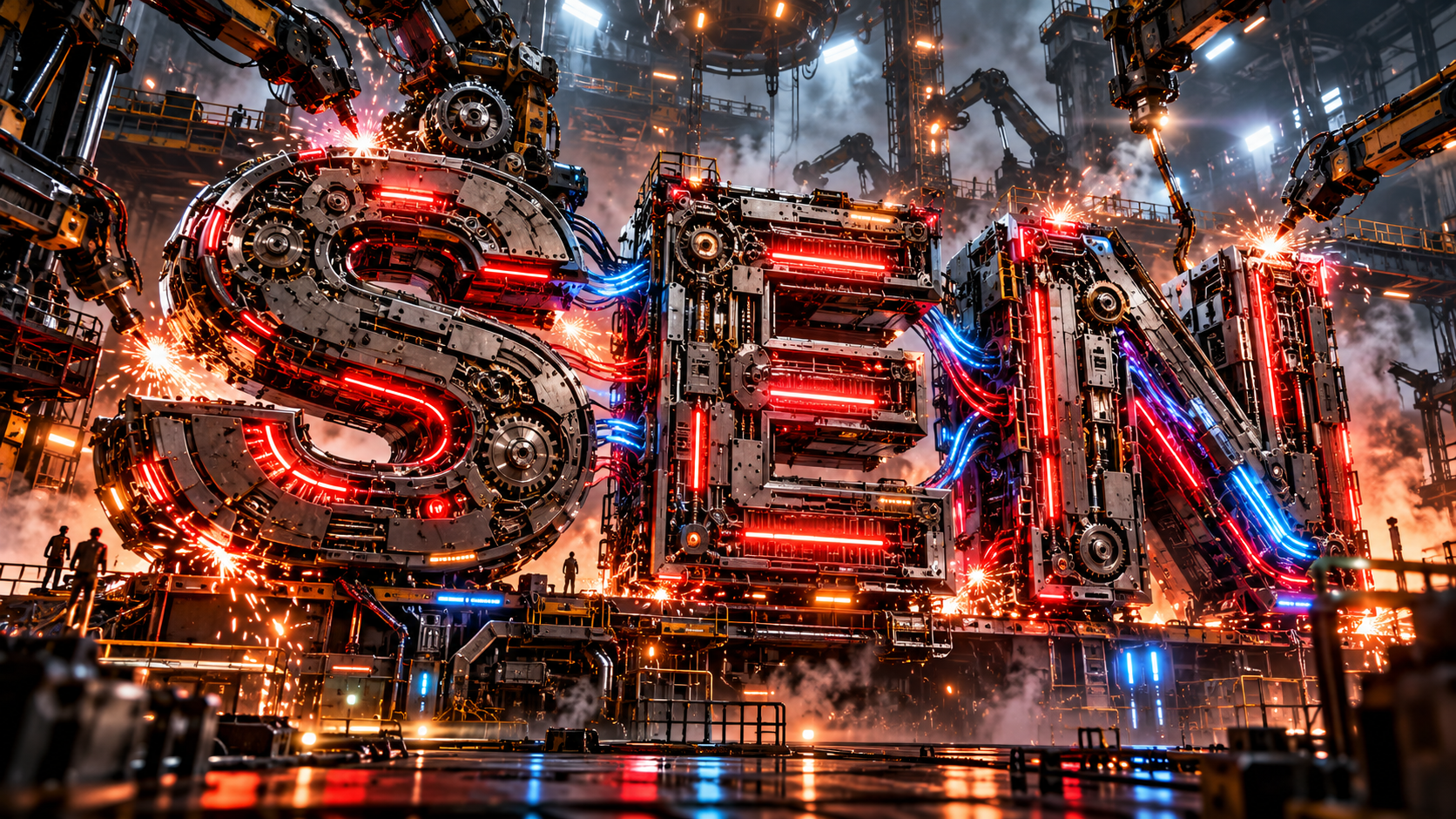
A striking opening hook: the video begins with an extreme, chaotic macro close-up, where hundreds and thousands of intricate metallic components, rotating gears, and hydraulic pistons coated with tungsten and graphene self-assemble with mechanical fury at ultra-high speed. Red and blue sparks burst with every connection, while intense crimson LEDs flash frantically like warning signals, dynamically forming the first letters of [NAME]

The camera performs an aggressive frontal tracking shot, slowly pulling back as the word expands, revealing more letters. Fiber-optic cables and transparent energy conduits pulse with a constant internal glow, snaking and moving naturally between each letter as they are constructed.

The letters have massive three-dimensional depth, revealing layers of scratched metal plates and futuristic micromechanisms. The setting is glimpsed as a dark, smoky industrial manufacturing plant, with silhouettes of heavy machinery and large construction robots working in the background, creating a cinematic science-fiction backdrop.

The movements of the components are continuous, fast, and rhythmic. Finally, accompanied by a powerful sound impact, the last letter snaps into place, and the camera executes an ultra-fast 360-degree orbital movement around the now-complete word [NAME] showcasing its immense scale, engineering complexity, and the vast civil construction shipyard, with incandescent sparks floating through the atmosphere.

The lighting is dramatic, emphasizing perpetual motion and continuous self-assembly, with ultra-detailed 8K image quality.
Replace the text inside the red dashed brackets with your own details before using the prompt.
How to Use It
1) 1 blanks to fill in: [NAME]
2) Make it yours: Replace the text inside the red dashed brackets with your own details.
3) Copy the prompt and paste it into Midjourney, Gemini or ChatGPT.
4) Not quite right? edit whatever you want — the model keeps the rest.
Example Result Image
Click the image to open it at full size.